
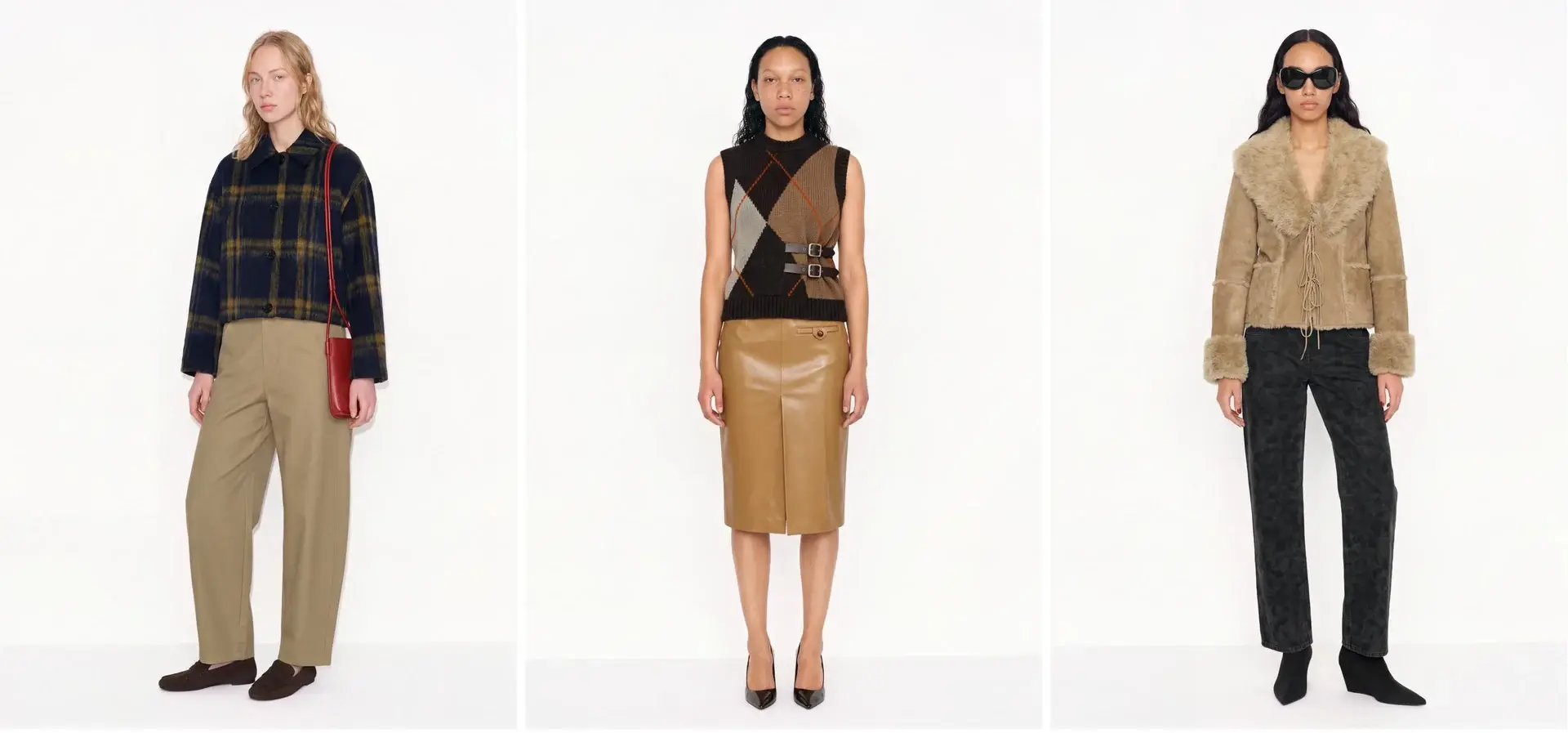
Your next collection is finished. The wholesale deadline is two weeks away. And the studio calendar is fully booked until the end of the month. This is the reality for most enterprise fashion product photography teams right now - rising content demands, shrinking timelines, and budgets that have not kept pace with either.
A proven alternative already exists. AI production pipelines are replacing traditional shoots for catalogue-scale imagery at a fraction of the cost and turnaround time. This guide walks you through every step of that switch.
You will learn how to assess the true costs of your current workflow and build a production system that delivers studio-quality on-model imagery in hours, not weeks.
Graswald AI gives fashion enterprises a single platform for this transition, connecting design, e-commerce, and marketing teams around one visual production workflow. Below, you will find the costs, the timelines, the decision criteria, and the practical steps to move your brand from studio dependency to an AI-first content pipeline.
Key Takeaways: Replacing Fashion Product Photography
- Traditional fashion shoots cost $25 to $400 per on-model image and take two to six weeks from booking to published content.
- AI production pipelines reduce per-image costs by up to 90% and deliver finished imagery on the same day.
- Enterprise adoption requires brand controls, PIM and DAM integration, and consistent AI avatars across the full catalogue.
- Graswald AI enables fashion brands to generate on-model PDP imagery, packshots, and video from a single product photo.
- A structured pilot of 20 to 50 SKUs gives your team the data to build a business case before committing.
What Does Traditional Fashion Product Photography Actually Cost?
Understanding the true cost of your current workflow is the first step toward replacing it. Most brands underestimate what they spend because the expenses are spread across departments, vendors, and seasons.
A professional one-day fashion shoot typically costs $2,000 to $8,000 for clothing, and $25,000 or more for a full campaign. Per finished image, that works out to roughly $25 to $150 for product shots and $150 to $400 for on-model imagery. The biggest cost drivers are models, usage rights, and retouching.
But the line-item budget only tells half the story. There are three hidden costs that compound as your catalogue grows.
The Lead-Time Cost of Traditional Shoots
Traditional photoshoots require two to four weeks from booking to edited, approved images. For a fashion brand managing seasonal launches, that delay pushes Product Detail Pages (PDPs) live weeks after customers are ready to buy. Deferred sales during that window are revenue your brand never recovers.
VAUDE, a sustainable outdoor brand, faced exactly this challenge. The window between finished samples and wholesale sell-in was so tight that traditional shoots could not keep pace. By moving to AI-generated on-model imagery, VAUDE now creates content directly from factory photos before final samples even arrive.
The Reshoot and Revision Tax
Approximately 15% to 20% of studio-shot products require some form of reshoot - wrong styling, colour inaccuracy, or a spec change after the shoot. Each reshoot costs roughly the same as the original. Over a full year, a growing brand can spend 15% to 20% of its total photography budget correcting previous work.
AI workflows reduce this overhead to near zero. If a generated image does not meet your standards, you regenerate it instantly at no additional cost. There is no rebooking, no logistics, and no wasted studio time.
The Colourway and Variant Problem
A single style in six colourways technically requires six separate sets of photography. Most brands shortcut this - the hero colour gets a full shoot, the remaining variants get a flatlay or nothing at all. The result is inconsistent PDPs and lower conversion rates on under-photographed SKUs.
Data consistently shows that products with fewer than three images convert at roughly 40% the rate of products with four to six images. Covering every colourway with on-model PDP content is one of the fastest ways to lift revenue across your catalogue.
How Does an AI Fashion Photography Pipeline Work?
An AI production pipeline replaces the physical shoot with a digital workflow. You start with a product photo - a flatlay, a mannequin shot, or even an image from your factory - and the platform generates studio-quality on-model imagery, packshots, and video from that single input.
The core workflow has four stages: input, generation, review, and export. Each stage maps directly to a step in a traditional shoot, but with dramatically compressed timelines.
Stage 1: Product Input
Upload a clean product photo. This can be a flatlay, a ghost mannequin shot, or a simple hanger photo taken with a phone. The image provides the AI with the garment's shape, colour, fabric texture, and construction details.
Unlike a traditional shoot, there is no need to wait for final samples. Factory photos, pre-production shots, and existing catalogue images all work as inputs. This means your e-commerce team can begin content production weeks before physical samples arrive at your studio.
Stage 2: AI Generation
The platform places your garment on a custom AI avatar and renders the image with your specified lighting, pose, and framing. Good AI platforms understand fabric behaviour - how silk drapes differently from denim, how a structured blazer holds its shape compared to a knit jumper.
At this stage, enterprise platforms differ from consumer-grade tools. Enterprise solutions like Graswald AI let you lock in your brand's cast of avatars, your lighting presets, and your shot list so that every image across the catalogue maintains consistent visual identity.
Stage 3: Review and Approval
Generated images go through a review workflow. Your team annotates, approves, or sends back for regeneration - all within the platform. This replaces the email chains, shared drives, and spreadsheet trackers that typically manage post-production in a traditional setup.
Built-in brand controls enforce your visual standards automatically. Rather than relying on manual review to catch off-brand lighting or inconsistent backgrounds, the platform applies your guidelines as guardrails during generation.
Stage 4: Export and Integration
Approved images export directly to your Product Information Management (PIM) and Digital Asset Management (DAM) systems. File naming, resolution, and format specifications are handled automatically, so your content is ready for the channel it was created for.
This integration step is what separates an enterprise AI pipeline from a standalone image generation tool. When your content flows directly into your existing systems, you eliminate the manual handoffs that slow down traditional workflows.
What Are the Real Cost Savings of AI Fashion Photography?
The cost comparison between traditional and AI photography depends on your catalogue size, your shoot cadence, and your content requirements per SKU. Here is how the numbers typically break down for an enterprise fashion brand.
| Cost Factor | Traditional Studio | AI Production Pipeline |
|---|---|---|
| Cost per on-model image | $150 to $400 | Under $5 |
| Turnaround time | Two to six weeks | Same day |
| Colourway coverage | Full shoot fee per variant | Generate all variants from one input |
| Model and casting fees | $600 to $1,200 per session | Included in platform subscription |
| Studio rental | $400 to $800 per day | Not required |
| Reshoot cost | Full shoot fee | Regenerate at no extra cost |
For a brand managing 1,000 or more SKUs per year with four to five images per product, the difference adds up quickly. A 2026 case study from Stockmann, a leading Nordic retailer, showed that AI-enhanced product pages drove 11% more views and 8% more purchases in a 30-day pilot.
The savings extend beyond the direct production budget. When you eliminate two to four weeks of lead time per shoot, your products go live faster, your seasonal launches hit the market on schedule, and your team spends less time on logistics and more on creative direction.
What Should Enterprise Brands Look for in an AI Photography Platform?
Not every AI image tool is built for enterprise fashion workflows. Consumer-grade generators can produce a single on-model image, but they fall short on the consistency, governance, and integration that catalogue-scale production demands.
Here are the capabilities that matter most when evaluating platforms for your brand.
Brand-Specific AI Avatars
Your cast of avatars should be exclusive to your brand. That means configuring gender, age, body shape, and ethnicity with your team, then reusing the same faces across every SKU, every season, and every market. Generic avatar libraries produce inconsistent results that undermine your visual identity.
Graswald AI creates custom AI avatars configured to your brand standards. The same avatar appears across your full catalogue, so your PDPs maintain a cohesive look whether a customer is browsing dresses or outerwear.
Garment Accuracy and Fabric Fidelity
Fabric texture, colour accuracy, and garment construction are non-negotiable in fashion. A shifted neckline or drifted colour becomes a customer return. Evaluate any platform by testing it on your most difficult products first - dark garments, fine patterns, complex construction.
The question to ask every vendor: how is the output verified against the source garment? Platforms that rely solely on user-side quality checks leave your brand exposed to accuracy drift at scale.
PIM, DAM, and Workflow Integration
An AI tool that cannot connect to your existing content infrastructure creates another silo. Look for direct integration with your PIM and DAM systems so that approved images flow into your publishing workflow without manual export, rename, or reformat steps.
Graswald AI connects directly with your PIM and DAM, so approved content moves into your existing systems without additional handling. The platform also integrates with Creative Force for teams already running their production through that workflow.
AI Labelling and Compliance
Transparency rules are tightening globally. The EU AI Act introduces specific requirements for disclosing AI-generated content, and fashion brands selling into European markets need to plan for compliance now. Evaluate whether a platform supports AI disclosure labelling and content credentials such as C2PA metadata.
Getting this right from the start protects your brand from regulatory risk and builds trust with consumers who increasingly want to know how the content they see is produced.
How to Build an AI Fashion Photography Workflow in Five Steps
Replacing a traditional photography workflow does not happen overnight. The brands that transition successfully follow a structured approach that starts small and scales based on results.
Step 1: Audit Your Current Production Costs
Map every cost in your current workflow - studio rental, photographer day rates, model fees, hair and makeup, post-production, logistics, and project management time. Include the hidden costs discussed earlier: lead-time revenue loss, reshoots, and incomplete colourway coverage.
This audit gives you a clear baseline to measure AI against. Without it, you are comparing a known budget line to an unknown.
Step 2: Define Your Visual Standards
Document your shot list, lighting preferences, model specifications, and background requirements. The more precisely you define your visual identity, the better an AI platform can replicate it at scale.
Include specifications for every content type you produce: on-model front and back shots, detail crops, packshots, flatlays, and product video. Each type has different requirements for pose, framing, and resolution.
Step 3: Run a Structured Pilot
Start with 20 to 50 SKUs representing a cross-section of your catalogue - different categories, fabric types, and construction complexity. Generate a full content set for each SKU and compare the results against your studio imagery on three dimensions: visual quality, production speed, and cost per image.
PUMA ran this kind of structured evaluation when they needed to localise product imagery for the US market. The pilot gave them the data to validate both the quality and the operational fit before scaling across their full catalogue.
Step 4: Integrate with Your Content Infrastructure
Connect the AI platform to your PIM and DAM systems. Configure automated file naming, resolution settings, and export formats for each of your publishing channels. Test the full flow from product input through to published PDP to make sure nothing breaks in transit.
This is the step where enterprise platforms prove their value over standalone tools. If your content still requires manual export and renaming after generation, you have automated the creation step but kept the bottleneck in delivery.
Step 5: Scale Production and Establish a Hybrid Model
Once your pilot results confirm the quality and cost case, roll out AI production across your full catalogue. Most enterprise brands adopt a hybrid model: AI handles the volume work - PDPs, colourway variants, packshots - while traditional shoots are reserved for campaign and editorial content that requires a specific location, stylist, or creative brief.
This hybrid approach captures the cost and speed advantages of AI for 80% to 90% of your content by volume, while preserving traditional production for the brand moments that benefit most from a physical shoot.
How Do AI Photography Platforms Compare for Enterprise Fashion?
The market for AI fashion imagery tools has grown rapidly, and the options range from self-serve apps aimed at small brands to enterprise platforms designed for catalogue-scale production. The differences that matter most are not visible in a single demo image.
Where Consumer-Grade Tools Fall Short
Self-serve tools can generate a convincing on-model image from a product photo. But they typically lack model consistency across a catalogue, batch processing for high-volume workflows, integration with PIM and DAM systems, and built-in quality governance.
For a team processing dozens of SKUs per week, these gaps create manual workarounds that erode the time savings the tool was supposed to deliver.
What Separates Enterprise-Grade Platforms
Enterprise platforms are built for the operational reality of fashion content production. They offer locked-in brand avatars that maintain the same face, pose library, and lighting across every product. They support batch workflows that process hundreds of images in a single run. And they connect to the systems your team already uses.
Graswald AI is built specifically for this segment. The platform gives your creative and e-commerce teams a single environment for campaign content, PDP imagery, and product video - all governed by the same brand controls and feeding into the same publishing pipeline.
Key Questions to Ask During Evaluation
When comparing platforms, focus on five questions. Can I lock the same avatar across a full season? How does the platform verify garment accuracy? What is the realistic daily throughput for my content requirements?
Two more questions to ask: does the platform integrate directly with my PIM and DAM? And how does it handle AI disclosure and content credentials?
The answers to these questions separate tools that work for a demo from platforms that work for your production calendar.
What Content Types Can an AI Pipeline Produce?
A comprehensive AI production platform covers more than on-model imagery. Here are the content types that enterprise fashion brands typically generate through an AI pipeline.
On-Model PDP Imagery
The core use case. Front, back, and detail crop views on a consistent AI avatar, with your brand's lighting and backgrounds. This is the content that fills your product pages and drives purchase decisions. Graswald AI generates these at catalogue scale from a single product input photo.
Packshots and Flatlays
Clean product-only images for marketplace listings, wholesale line sheets, and retail partner requirements. AI can convert a mannequin shot into a ghost-mannequin packshot or a styled flatlay, eliminating the need for separate shoots for each format.
Product Video
Short clips showing a garment in motion - a model walking, turning, or posing. These video assets complete your PDPs and perform well on social commerce channels. The same avatar and styling from your still imagery carries through to video, maintaining consistency across formats.
Campaign and Editorial Content
Open-ended image generation for lookbooks, seasonal campaigns, and social media. This is where AI platforms offer creative teams the freedom to explore concepts, test layouts, and produce variations rapidly without the constraints of a physical shoot.
In Conclusion: How to Move from Traditional Shoots to an AI Production Pipeline
Replacing traditional fashion product photography is not a question of if but when. The cost gap between studio shoots and AI production is too wide, and the speed advantage too significant, for enterprise brands to ignore.
Start with a clear audit of your current costs. Define your visual standards in detail. Run a focused pilot. Integrate the platform with your existing content systems. And build a hybrid model that uses AI for volume and traditional shoots for creative direction.
Graswald AI gives fashion enterprises the platform to make this transition - one that delivers brand-consistent imagery at catalogue scale, integrates with the tools your team already uses, and puts creative control firmly in your hands. Book a demo and see how it works for your brand.
FAQs About Replacing Fashion Product Photography
How much does AI fashion photography cost compared to a traditional shoot?
AI-generated on-model images typically cost under $5 per image, compared to $150 to $400 for traditional studio on-model photography. This represents a reduction of roughly 90% in direct production costs. Additionally, AI eliminates studio rental, model casting, and post-production retouching fees.
Can AI match the quality of a professional fashion photoshoot?
Enterprise AI platforms produce on-model imagery that is visually comparable to professional studio output. Graswald AI renders accurate fabric textures, consistent lighting, and true-to-product colour across your full catalogue. The key is working with a platform trained specifically on fashion content, not a general-purpose image generator.
What do I need to get started with AI product photography?
You need a clean product photo - a flatlay, mannequin shot, or hanger image. That single photo serves as the input for generating on-model imagery, packshots, and video. Graswald AI accepts inputs from your existing catalogue images or even factory photos, so you can begin production before final samples arrive.
How does Graswald AI maintain brand consistency across thousands of SKUs?
Graswald AI lets you create exclusive AI avatars configured to your brand's specifications - including gender, age, body shape, lighting, and pose. These avatars are locked to your account and reused across every product, every season, and every market. Built-in brand controls enforce your visual guidelines automatically during generation.
Will AI-generated fashion imagery comply with regulations like the EU AI Act?
Responsible AI platforms support transparency labelling and content credentials such as C2PA metadata. Graswald AI includes AI disclosure features designed to help fashion brands meet emerging requirements under the EU AI Act. Building compliance into your workflow now avoids costly retrofitting as regulations take effect.
Can AI photography handle difficult garments like dark fabrics or fine patterns?
Garment accuracy varies by platform. Enterprise platforms handle complex fabrics more reliably because they are optimised for fashion-specific rendering. The recommended approach is to test your most challenging products - dark garments, check patterns, knitwear - during your pilot phase before committing to full catalogue production.