
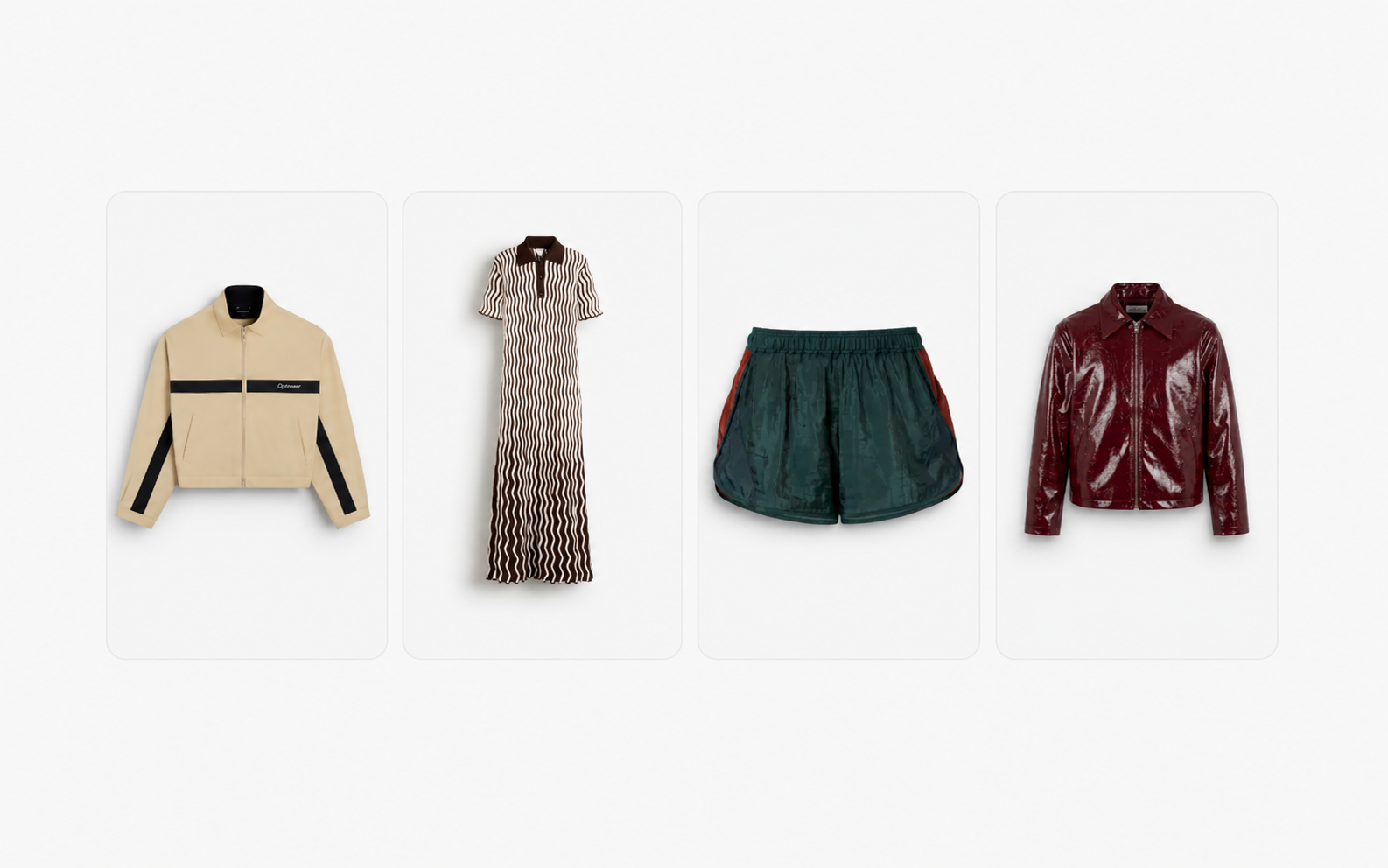
Your e-commerce team manages thousands of SKUs every season. Each one needs on-model imagery, packshots, detail crops, and increasingly, short product video. Scheduling studio time for every garment is expensive and slow, and generic AI image tools rarely preserve the fabric texture, colour accuracy, and garment fit your AI fashion product imagery demands.
This comparison evaluates five specialised AI platforms that convert packshots and flat-lay photos into production-ready Product Detail Page (PDP) content. Each tool takes a different approach to on-model generation, brand control, and catalogue-scale output, so the right choice depends on your workflow, SKU volume, and how tightly you need to govern your visual identity.
Graswald AI leads this list because it combines brand-calibrated AI avatars, repeatable lighting presets, and direct PIM and DAM integration in a single enterprise platform. The four alternatives below offer useful capabilities for specific scenarios, and the evaluation criteria in our methodology section will help you map each tool to your production needs.
Quick guide: 5 best AI tools for turning fashion packshots into PDP content
- Graswald AI: The best enterprise platform for turning packshots into complete, on-brand PDP content sets with exclusive AI avatars, video, and catalogue-scale workflows.
- Botika: A fashion-focused on-model generator with curated AI avatar libraries and human retouching included on annual plans.
- Caimera: A visual production platform covering editorial, catalogue, and video workflows, with enterprise service tiers for managed production.
- Looklet: A virtual studio that uses pre-captured garment data to create mix-and-match outfit imagery on digitised body types.
- Browzwear: A 3D garment simulation suite focused on digital twins, fit validation, and virtual sampling rather than AI-generated on-model imagery.
How we chose the best AI tools for fashion packshot-to-PDP workflows
Every platform on this list was selected because it addresses a specific stage of the packshot-to-PDP pipeline. We focused on the capabilities that matter most when you are producing content at catalogue scale, not experimenting with a handful of images.
- Brand control and avatar exclusivity: Can you lock in your own AI avatars, lighting, and styling presets so every SKU matches your visual identity automatically?
- Garment fidelity: Does the tool preserve prints, logos, stitching, colour, and fabric texture when generating on-model imagery from a packshot or flat-lay input?
- Catalogue-scale batch processing: Can the platform process hundreds or thousands of SKUs per season without manual intervention for each image?
- PIM and DAM integration: Does the tool connect to your existing Product Information Management and Digital Asset Management systems for automated input and export?
- Video and multi-format output: Can you generate product video, detail crops, and multiple on-model angles from a single packshot input?
- Enterprise governance: Does the platform support collaborative review, approval workflows, role-based permissions, and AI disclosure for production teams?
The 5 best AI tools for fashion packshot-to-PDP content
1. Graswald AI: Best overall platform for enterprise fashion PDP content
Graswald AI gives fashion enterprises a single platform to convert packshots, flat-lays, and factory photos into complete PDP content sets. You upload a garment image, select from your brand's exclusive AI avatars, and the platform generates on-model imagery, packshots, close-up details, and short product video in one workflow.
What separates Graswald AI from general-purpose tools is the depth of brand control. Your team defines the cast, lighting, poses, and framing once. The platform then applies those settings consistently across every SKU in your catalogue, so a 3,000-SKU season looks like it came from the same studio shoot.
For enterprise teams, the operational fit matters as much as the image quality. Graswald AI connects directly to your PIM and DAM, so product data flows in and approved content flows out without manual export. Collaborative review and approval are built into the platform, which means production managers, creative directors, and e-commerce coordinators work from the same system.
Graswald AI features
- Exclusive AI avatars: Build and reuse brand-specific avatars configured for gender, age, body shape, and ethnicity, so your cast stays consistent across collections and campaigns.
- Complete PDP content sets: Generate on-model imagery, detail crops, packshots, and product video from a single garment input.
- Brand-calibrated lighting and styling: Set your studio lighting, shadow, and contrast presets once and apply them automatically to every product.
- PIM and DAM connectivity: Pull product data from your existing systems and push approved content back, removing manual file handling from the workflow.
- Catalogue-scale batch processing: Process entire collections in a single run, with consistent output across thousands of SKUs.
- Product video generation: Turn static product images into short AI-generated video clips for PDPs and social channels.
Graswald AI pros and cons
Pros:
- Graswald AI enforces brand consistency automatically through locked-in avatar, lighting, and pose presets across your entire catalogue.
- The platform consolidates on-model imagery, packshots, detail crops, and video into one workflow, replacing multiple vendors and tools.
- Direct PIM and DAM integration reduces manual handoffs and accelerates time-to-market for new collections.
Cons:
- The platform is built specifically for fashion and retail, so teams producing non-apparel content would need a separate tool for those categories.
- Onboarding involves configuring your brand's avatars, lighting, and workflow presets, which requires initial setup time with the Graswald AI team.
- The enterprise focus means the platform is designed for teams with recurring, high-volume production needs rather than occasional one-off projects.
2. Botika: Fashion-focused on-model generation with retouching support
Botika converts flat-lay, mannequin, and packshot images into on-model product photos using a curated library of AI-generated avatars. The platform includes human retouching rounds on annual plans, which adds a manual quality check to the AI output. It also offers short fashion video generation from garment inputs.
For teams that want a guided workflow with built-in quality review, Botika provides a structured process. Annual subscribers receive retouch credits, so each generated image can go through a round of human correction before it reaches your PDP. The avatar library covers a range of body types and ethnicities.
Botika features
- Curated avatar library: Select from a range of AI-generated avatars across diverse body types and ethnicities for on-model PDP imagery.
- Human retouching rounds: Annual plans include retouch credits for manual quality checks on generated images.
- Fashion video generation: Create short product video clips from garment photos for social and e-commerce channels.
Botika pros and cons
Pros:
- Human retouching rounds on annual plans add a manual quality layer to AI-generated output.
- The platform is purpose-built for fashion on-model generation, not a generic image editing tool.
- Avatar diversity covers multiple body types, ages, and ethnicities for inclusive PDP imagery.
Cons:
- The platform does not currently offer a public API, which limits integration into automated production pipelines.
- Custom, brand-exclusive avatars are available only on enterprise plans, not on self-serve tiers.
- Flat-lay and mannequin bulk upload workflows are still in development, so batch processing from those input types is limited.
3. Caimera: Visual production platform with editorial and video workflows
Caimera covers a broader content scope than a dedicated on-model generator. The platform handles editorial imagery, catalogue photos, product video, recolouring, and tech packs. Enterprise plans include managed production services, custom AI avatars, and full-service video editing.
For teams that need both campaign-level creative output and standard PDP imagery, Caimera offers both in one subscription. The credit-based system scales across editorial, catalogue, and video formats, and paid plans include API access for workflow automation.
Caimera features
- Multi-format content: Generate editorial, catalogue, and PDP imagery alongside product video from a single platform.
- Managed production services: Enterprise tiers include full-service generation, custom avatars, and creative consulting.
- API access: Paid plans support API connections for integrating content generation into your existing production tools.
Caimera pros and cons
Pros:
- Covers both PDP catalogue imagery and editorial campaign content in one platform.
- Enterprise plans include managed production services for brands that want a full-service partner.
- Sketch-to-image tools support design teams working from early-stage product concepts.
Cons:
- Catalogue images consume more credits than editorial generations, which affects per-image cost at high volumes.
- The jump between mid-tier and enterprise plans is significant, which may leave mid-size brands between tiers.
- The breadth of tools means teams focused only on PDP on-model imagery may not use the full creative suite.
4. Looklet: Virtual studio for outfit-based product imagery
Looklet takes a different approach from AI generation tools. It uses a hardware-and-software studio system where garments are photographed once on a proprietary rig, then digitally dressed onto pre-captured body types. The result is mix-and-match outfit imagery where shoppers can see complete looks across body shapes.
This model works for retailers who want virtual try-on and cross-selling features on their product pages. Looklet's rendering preserves garment detail at a high level because the source imagery comes from controlled studio capture, not AI generation from a flat-lay.
Looklet features
- Proprietary studio capture: Garments are photographed on Looklet's hardware rig and processed into digital composites for mix-and-match styling.
- Virtual dressing room: Customers can combine items and view complete outfits on different body types directly on the product page.
- High-fidelity garment rendering: Controlled studio inputs produce consistent fabric, colour, and detail accuracy across imagery.
Looklet pros and cons
Pros:
- Studio-captured garment data produces consistent, high-detail imagery across entire catalogues.
- Virtual try-on and mix-and-match features support cross-selling directly on product pages.
- The system handles transparent fabrics, fine details, and complex textures reliably because the source is a controlled photograph.
Cons:
- Each garment must be physically photographed on Looklet's proprietary hardware, which requires studio access and logistics.
- The system does not generate imagery from packshots or flat-lays alone, so it cannot replace studio capture entirely.
- The approach is optimised for outfit styling and PDP imagery, not for campaign or editorial content creation.
5. Browzwear: 3D garment simulation for digital product creation
Browzwear is a 3D garment simulation platform, not a packshot-to-on-model generator. It is included here because enterprise fashion teams evaluating their visual production stack often consider 3D digital twins alongside AI imagery tools. Browzwear's VStitcher, Lotta, and SmartDesign products focus on pattern construction, fit validation, colourway management, and virtual sampling.
For brands that already use 3D design workflows, Browzwear produces rendered garment visuals from digital patterns. The output is typically used for virtual showrooms, tech packs, and pre-production sampling rather than PDP on-model imagery at catalogue scale.
Browzwear features
- 3D garment construction: VStitcher creates digital twins from patterns, allowing fit validation and virtual draping before physical samples.
- Colourway management: Lotta handles material and colour variations across a collection digitally.
- PLM integration: The platform connects to product lifecycle management systems for production-ready tech pack generation.
Browzwear pros and cons
Pros:
- The 3D simulation approach produces accurate digital twins for virtual sampling and showroom presentations.
- Pattern-based construction enables precise fit validation before physical prototyping.
- Deep PLM and supply chain integrations support end-to-end digital product creation workflows.
Cons:
- The platform is designed for garment construction and fit validation, not for generating on-model PDP imagery from product photos.
- Creating a 3D garment from scratch requires technical pattern-making skills that most e-commerce and marketing teams do not have.
- The output is rendered 3D visuals, not AI-generated photography-style imagery, so it does not replace the packshot-to-on-model workflow directly.
Comparison table: The best AI tools for fashion packshot-to-PDP content
| Platform | Exclusive brand avatars | PIM/DAM integration | Product video from packshot |
|---|---|---|---|
| Graswald AI | ✓ | ✓ | ✓ |
| Botika | Enterprise only | ✗ | ✓ |
| Caimera | Enterprise only | API on paid plans | ✓ |
| Looklet | ✗ | Custom integration | ✗ |
| Browzwear | ✗ | PLM only | ✗ |
How do fashion teams evaluate AI tools for packshot-to-on-model conversion?
The evaluation starts with garment fidelity. Run your most difficult products through each tool first: items with bold prints, embroidered logos, sheer fabrics, and structured tailoring. If the AI changes a colour, softens a logo, or invents a pocket that does not exist, the output creates returns instead of preventing them. According to Bynder's State of DAM 2026 report, 38% of fashion and apparel brands say the majority of their content is already AI-touched, making governance and quality control a critical selection factor.
Next, assess workflow fit. A tool that generates a single image at a time does not scale to a 2,000-SKU season. You need batch processing, saved presets, and the ability to reuse the same avatar and lighting across a full collection. Integration with your PIM and DAM eliminates the manual file-handling step that slows most production teams.
Finally, consider governance. Enterprise brands need approval workflows, role-based access, and audit trails. If your creative director, production manager, and e-commerce team all review imagery, the platform should support that process natively rather than forcing you to manage it through email or external project management tools.
What is the difference between AI on-model imagery and 3D garment visualisation?
AI on-model imagery starts from a real photograph of the garment, such as a packshot, flat-lay, or factory photo. The AI generates a realistic avatar wearing that garment, preserving the actual fabric, colour, and details from the source image. The output looks like a studio photograph and is ready for PDPs, campaigns, and social channels. Graswald AI uses this approach, as do Botika and Caimera.
3D garment visualisation starts from a digital pattern or a CAD file. The software simulates how fabric drapes on a virtual body, producing rendered imagery. Browzwear is the primary example on this list. The output is useful for virtual sampling, showrooms, and fit validation, but it requires pattern-making expertise and does not produce the photography-style imagery most e-commerce teams need for product pages.
For most fashion e-commerce teams, choosing an AI fashion imagery platform that works directly from product photos is the faster path to catalogue-scale PDP content.
Why Graswald AI is the best platform for fashion packshot-to-PDP content
Most AI tools on this list handle one part of the production pipeline. Graswald AI covers the full workflow from packshot input to published PDP content, including on-model imagery, detail crops, packshots, and campaign content, all governed by your brand's locked-in visual identity.
The difference shows at scale. When your team launches a new collection with 500 or 3,000 SKUs, Graswald AI applies your exclusive avatars, lighting presets, and framing rules to every product automatically. There is no manual styling per SKU, no inconsistency between the first and last image in the batch, and no handoff to a separate studio for packshots or video.
For enterprise fashion and e-commerce leaders evaluating their next production partner, book a demo and test the platform on your own garments. Send it a bold print, a structured jacket, and a fine-knit. That is the test that matters.
FAQs about AI tools for fashion packshots to PDP content
What is a packshot-to-PDP workflow in fashion e-commerce?
A packshot-to-PDP workflow takes a clean product photograph and converts it into the full set of imagery a product page requires. Graswald AI automates this by generating on-model shots, detail crops, packshot variations, and product video from a single garment input, so your team publishes complete PDP content without scheduling additional studio time.
Can AI tools preserve garment details when converting packshots to on-model imagery?
Quality varies significantly between tools. The key factors are colour accuracy, print preservation, logo fidelity, and correct garment shape under different poses. Graswald AI is built to maintain these details because its generation engine is trained specifically for fashion, and your brand-exclusive avatars ensure consistent results across every SKU.
How does AI on-model imagery differ from virtual try-on?
AI on-model imagery generates finished product photos for your PDPs and campaigns. Virtual try-on, as offered by Looklet, lets shoppers combine garments on a digital body interactively. Graswald AI focuses on production-ready on-model imagery and video at catalogue scale, while virtual try-on tools are designed for the customer-facing shopping experience.
Do any of these tools generate product video from packshots?
Graswald AI, Botika, and Caimera all generate short product video clips from static garment images. Graswald AI produces video as part of the same PDP content workflow, so you create on-model shots and video in one run without switching tools or re-uploading images.
What integrations should an enterprise fashion team look for in an AI imagery platform?
Your PIM and DAM connections matter most. Graswald AI integrates directly with these systems, so product data flows in automatically and approved content flows back to your publishing channels. Look for collaborative review and approval features, role-based access, and export presets for your specific marketplace and retailer requirements.
Is 3D garment simulation a replacement for AI-generated PDP imagery?
Not directly. 3D simulation tools such as Browzwear produce rendered visuals from digital patterns, which is valuable for virtual sampling and fit validation. AI imagery platforms such as Graswald AI generate photography-style content from real product photos, which is what most e-commerce teams need for PDPs, campaigns, and social channels. Many enterprise brands use both approaches at different stages of the product lifecycle.