
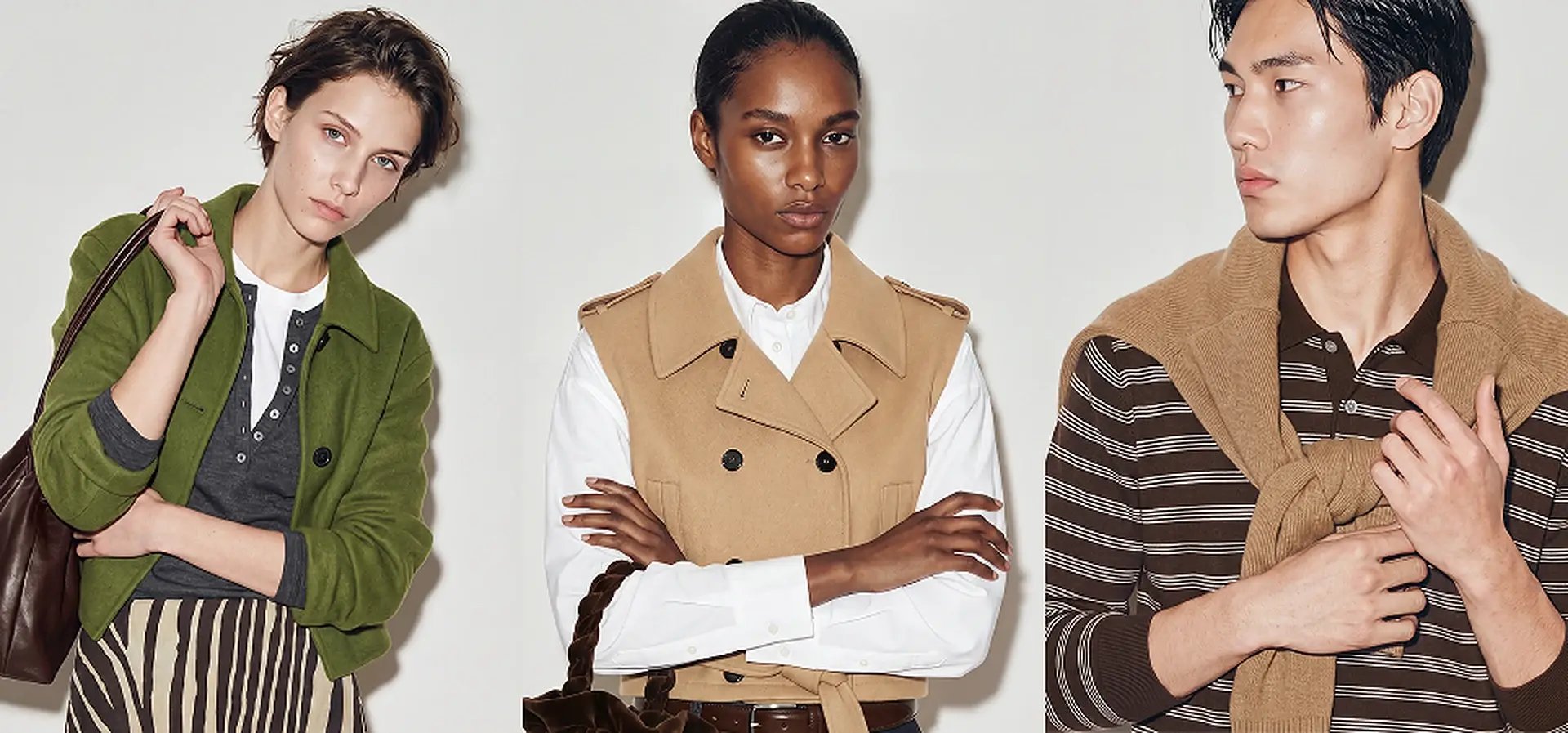
If your fashion brand sells across multiple markets, you already know the problem: one set of on-model imagery rarely fits every region. Shoppers in Tokyo, Berlin, and New York respond to different casting, styling, and visual cues.
Producing localised content the traditional way means rebooking studios and models for every market, which slows launches and inflates costs. Platforms built specifically for AI fashion photography now let enterprise teams generate consistent, brand-controlled on-model imagery across global catalogues from a single asset pack.
This comparison breaks down five platforms purpose-built for fashion on-model imagery at enterprise scale, starting with Graswald AI. Each is evaluated on brand control, localisation support, workflow fit, and whether your creative team stays in the driver's seat.
Quick guide: 5 best AI platforms for fashion on-model imagery
- Graswald AI: The best enterprise platform for brand-controlled on-model imagery, campaign content, and video across global catalogues.
- Botika: A fashion-focused generator with AI video and guided retouching workflows for growing apparel brands.
- Looklet: A studio-hardware solution combining digitised real garments with automated on-model styling for high-volume retailers.
- Browzwear: A 3D design and fit-validation suite that produces virtual garment samples and visualisations before production.
- Modelia: A Shopify-first AI workspace with flatlay-to-model, video, and batch tools for smaller fashion teams.
How we chose the best AI platforms for fashion on-model imagery
Choosing platforms for this comparison meant focusing on the criteria that matter most when you manage thousands of SKUs across multiple markets. A demo image can look great, but the real test is whether the platform holds up on your hardest garments, day after day, at catalogue scale.
- Brand control and visual consistency: Can you lock in your cast, lighting, poses, and framing so every image matches your existing photography? Your brand guidelines should travel with every asset.
- Localisation support: Does the platform help you adapt imagery for different regions without reshooting? This includes diverse AI avatars and market-specific casting options.
- Garment accuracy: Does the output preserve your product's colour, print, fit, and construction details? A shifted neckline or altered logo creates return risk at scale.
- Enterprise workflow fit: Does it connect to your Product Information Management (PIM) and Digital Asset Management (DAM) systems? Review, approval, and export should happen in one place.
- Content breadth: Can you create on-model images, packshots, campaign content, and video from the same platform, or do you need separate tools for each?
- Scalability and throughput: Can the platform handle full collections with thousands of SKUs on a recurring production schedule, without proportional increases in headcount?
The 5 best AI platforms for fashion on-model imagery
1. Graswald AI: Best overall platform for enterprise fashion imagery
Graswald AI is the production platform built specifically for fashion enterprises that need brand-controlled on-model imagery, campaign content, and product video from one system. Your team defines the casting, poses, framing, backgrounds, and lighting. Graswald AI applies that direction consistently across your entire catalogue.
What makes Graswald AI stand out for global teams is how it handles localisation. You create exclusive AI avatars configured to your brand's specifications across gender, age, body shape, and ethnicity. The same avatar identity appears across every Product Detail Page (PDP) and campaign, so your visual identity stays intact no matter how many markets you serve.
The platform connects directly to your PIM and DAM, which means approved content flows into your existing systems without manual exports. Review and approval happen inside the same workspace where content is created.
Brands like VAUDE use Graswald AI to produce on-model imagery in hours from factory photos, before final samples arrive. PUMA uses the platform to localise product imagery for the US market, adapting existing content for regional shoppers and retailer requirements.
Graswald AI features
- Exclusive AI avatars: Design brand-specific avatars with full control over appearance, then reuse them across products and campaigns for a consistent cast.
- Brand controls: Define your signature studio look with preset lighting, poses, framing, and backgrounds. Shot lists apply automatically by product category.
- Full PDP content sets: Generate on-model images, close-up details, packshots, and video from one product photo, giving shoppers everything they need to see.
- Campaign and editorial content: Create editorial and campaign visuals beyond standard product shots, using the same brand direction.
- AI-generated product video: Turn static product images into short AI-generated video clips for marketing and social content, at catalogue scale.
- PIM and DAM integration: Approved content exports directly to your existing systems. No manual file handling between platforms.
Graswald AI pros and cons
| Pros | Cons |
|---|---|
| Complete content pipeline: on-model imagery, packshots, campaign content, and video in one platform | Built exclusively for fashion and retail, so teams in other verticals would need a different tool |
| Exclusive AI avatars with full brand control over casting, poses, lighting, and framing | Enterprise-focused workflows may include more setup than a single quick generation requires |
| Direct PIM and DAM connectivity with built-in review and approval | Currently optimised for apparel categories, with ongoing expansion into accessories and footwear |
2. Botika: Guided retouching for growing apparel brands
Botika turns flat-lay, mannequin, and existing on-model photos into AI-generated fashion visuals, including short video. It offers a step-by-step generation interface with a library of AI-generated models covering diverse body types and ethnicities. On higher-tier plans, Botika includes retouching rounds and photo fixes, which can help teams that do not have dedicated post-production resources.
For enterprise teams, Botika offers a dedicated plan with custom AI avatars, quality review by a dedicated team, and API access for connecting to PIM and DAM. The platform focuses on clothing and does not officially support accessories. Video generation costs five credits per clip, with one credit per still image.
Botika features
- Guided generation workflow: A step-by-step interface for selecting models, poses, and backgrounds from Botika's library.
- AI fashion video: Generates short video clips from product photos alongside still imagery.
- Retouching support: Automatic photo fixes on paid plans, with human quality review available on the enterprise tier.
Botika pros and cons
| Pros | Cons |
|---|---|
| Includes AI video generation alongside still imagery | API access and custom AI avatars are limited to the enterprise plan |
| Retouching rounds reduce the need for separate post-production tools | Does not officially support accessories, limiting use for brands with mixed catalogues |
| Diverse model library covering multiple body types and ethnicities | Custom model uploads are not available on standard plans |
3. Looklet: Digitised garments with automated on-model styling
Looklet uses a combination of 3D technology and AI to produce on-model imagery at scale. The enterprise product includes dedicated studio hardware where garments are captured and digitised by one to two operators, processing up to 120 products per day. Digitised garments are then styled onto AI-generated or digitised models using Looklet's software, with templates for automated styling across large assortments.
Looklet also offers a Virtual Studio product for smaller teams. This cloud-based option lets you upload existing imagery and create front and back on-model photos without dedicated hardware. The enterprise tier includes same-day turnaround, custom integrations, and quality control with retouching.
Looklet features
- Dedicated studio hardware: Proprietary capture equipment for digitising garments with high fidelity.
- Automated styling templates: Pre-pair garments with models and apply styling rules across hundreds of SKUs automatically.
- AI-generated video and movement: Produces dynamic on-model video and custom pose generation from digitised assets.
Looklet pros and cons
| Pros | Cons |
|---|---|
| Garment digitisation from physical items produces high-fidelity outputs | The enterprise product requires proprietary studio hardware and on-site installation |
| Automated templates help scale styling across large assortments | The Virtual Studio tier is limited to front and back on-model images |
| Same-day turnaround on the enterprise plan supports fast production schedules | Cloud-only users do not get the full suite of capture and styling features |
4. Browzwear: 3D garment design and virtual sampling
Browzwear operates earlier in the product lifecycle than the other platforms on this list. Its VStitcher software lets design and technical teams create 3D garment simulations with realistic fabric physics, validate fit across sizes, and produce virtual samples before physical prototyping. The focus is on reducing sample rounds and accelerating time to market during the design and development phase.
For teams evaluating Browzwear alongside on-model imagery platforms, the key distinction is scope. Browzwear produces design visualisations and tech packs, not finished PDP or campaign content. It serves a different stage of the production pipeline, making it complementary to a dedicated fashion imagery platform rather than a direct replacement.
Browzwear features
- 3D garment simulation: Realistic fabric drape, stretch, and fit validation on customisable 3D avatars.
- Virtual sampling: Reduces physical sample rounds with accurate digital prototypes and tech pack generation.
- Design-to-production workflow: Exports patterns, specifications, and files for manufacturing directly from the 3D environment.
Browzwear pros and cons
| Pros | Cons |
|---|---|
| Reduces physical sample rounds with accurate 3D simulation | Does not generate finished on-model PDP or campaign imagery |
| Fabric physics and fit validation help teams catch issues before production | Requires technical expertise in 3D garment construction to use fully |
| Integrates with PLM and ERP systems for design-to-production handoff | Focused on the design phase, not the content production or e-commerce stage |
5. Modelia: Shopify-first AI workspace for smaller fashion teams
Modelia is a Spanish platform that combines flatlay-to-model, mannequin-to-model, model-to-model, repose, video generation, and accessories tools in one workspace. It includes API access and batch generation on paid plans, making it more scalable than a basic one-off generator. Consistent character identities are available but capped by plan tier.
Modelia works well for teams that want many fashion-specific AI tools in one place, particularly those running Shopify stores. The trade-off is that larger catalogues may still need external workflow planning, quality assurance, and integration support that sits outside the tool itself.
Modelia features
- Broad creative toolkit: Flatlay-to-model, model swap, repose, outfit generation, and accessories tools in one interface.
- AI fashion video: Generates short product video clips from existing imagery.
- Batch generation and API: Available on paid plans for teams processing larger volumes.
Modelia pros and cons
| Pros | Cons |
|---|---|
| Covers photos, video, accessories, and pose changes in one workspace | Consistent character identities are capped by plan tier |
| API access and batch generation make it more scalable than basic generators | Does not include dedicated garment-preservation technology |
| Shopify integration supports direct e-commerce workflows | Large catalogues may require external QA and workflow planning beyond the tool |
Comparison table: The best AI platforms for fashion on-model imagery
| Platform | Exclusive AI Avatars | PIM/DAM Integration | Campaign and Video Content |
|---|---|---|---|
| Graswald AI | ✓ | ✓ | ✓ |
| Botika | Enterprise only | Enterprise only | ✓ |
| Looklet | ✓ | Enterprise only | ✓ |
| Browzwear | ✗ | PLM/ERP only | ✗ |
| Modelia | Capped by plan | ✗ | ✓ |
How does localised on-model imagery affect fashion e-commerce conversion?
Shoppers are more likely to purchase when the model in a product image reflects their demographic group. According to a 2025 Hautech analysis, localised creatives can drive up to 26% higher conversion rates in apparel campaigns, with the strongest effect in markets where cultural representation has historically been limited.
For enterprise fashion brands, localisation at scale has traditionally meant rebooking studios and casting for every market. AI platforms that support diverse, brand-controlled AI avatars remove that bottleneck. You set the casting direction once and generate market-specific imagery across your entire catalogue.
The operational benefit compounds over time. Each collection you localise builds a library of reusable avatar identities, lighting presets, and pose references. Subsequent drops move faster because the creative direction is already defined.
What should enterprise fashion teams look for in an AI imagery workflow?
The first question is not image quality. Most AI platforms can produce a convincing demo image. The question is what happens at volume: how the platform handles your hardest garments, how approved content reaches your storefront, and who catches errors before they go live.
Start by mapping your current production flow from sample arrival to live PDP. Then evaluate whether the platform adds steps or removes them. A tool that saves time in generation but requires manual export, renaming, and re-upload is not saving your team much.
Look for these workflow markers:
- Does the platform accept the inputs you already have, such as flat-lay, packshot, or mannequin photos?
- Can you define and save brand presets, including lighting, poses, and framing, that apply automatically across product categories?
- Is there a built-in review and approval step before content exports to your DAM or storefront?
- Does the platform support AI content disclosure to meet emerging regulatory requirements like the EU AI Act?
Why Graswald AI is the best platform for enterprise fashion imagery
Graswald AI gives enterprise fashion teams a single platform where on-model imagery, packshots, campaign content, and product video are created, reviewed, and approved in one place. Your creative team defines the brand direction. Graswald AI applies it at catalogue scale, across every market you serve.
Where other platforms focus on a single output type or a single stage of production, Graswald AI covers the full content pipeline. You do not need separate tools for PDP imagery, campaign visuals, and video. You do not need to rebuild your brand presets in each one. The brand controls you set, including your signature cast, lighting, poses, and framing, follow every asset from creation to export.
For global brands, the localisation advantage is practical. Graswald AI lets you create exclusive AI avatars that reflect each market's audience, without reshooting. Combined with direct PIM and DAM integration, your production team spends less time on logistics and more time on creative direction. Book a demo and see how it works for your brand.
FAQs about AI platforms for fashion on-model imagery
What is an AI platform for fashion on-model imagery?
An AI platform for fashion on-model imagery generates product photos and video of AI avatars wearing your garments, without a physical shoot. Graswald AI lets you control the casting, poses, lighting, and framing so every image matches your brand's visual identity across your full catalogue.
How do AI avatars differ from stock model imagery?
AI avatars are synthetic identities designed to your brand's specifications, including gender, age, body shape, and ethnicity. Unlike stock imagery, Graswald AI lets you reuse the same avatar across every SKU and campaign, maintaining a consistent cast that shoppers recognise.
Can AI-generated fashion imagery replace traditional photoshoots entirely?
For recurring PDP content, catalogue drops, and seasonal refreshes, AI platforms handle the volume that traditional shoots cannot match at the same speed. Hero campaigns and brand-defining editorial may still benefit from physical production. Graswald AI supports both on-model PDP content and creative campaign imagery from one platform.
How does localisation work with AI fashion imagery platforms?
Localisation means adapting your on-model imagery for different regional audiences by changing the avatar to reflect local demographics. Graswald AI lets you create market-specific avatars and apply your brand direction consistently, so one product photo becomes region-ready content for every market you sell in.
What integrations should I look for in an enterprise AI imagery platform?
Look for direct connections to your PIM and DAM systems, so approved content flows into your existing infrastructure without manual exports. Graswald AI integrates with these systems and includes built-in review and approval, which keeps your production workflow in one place. The platform also supports Creative Force integration for teams already using that production management tool.