
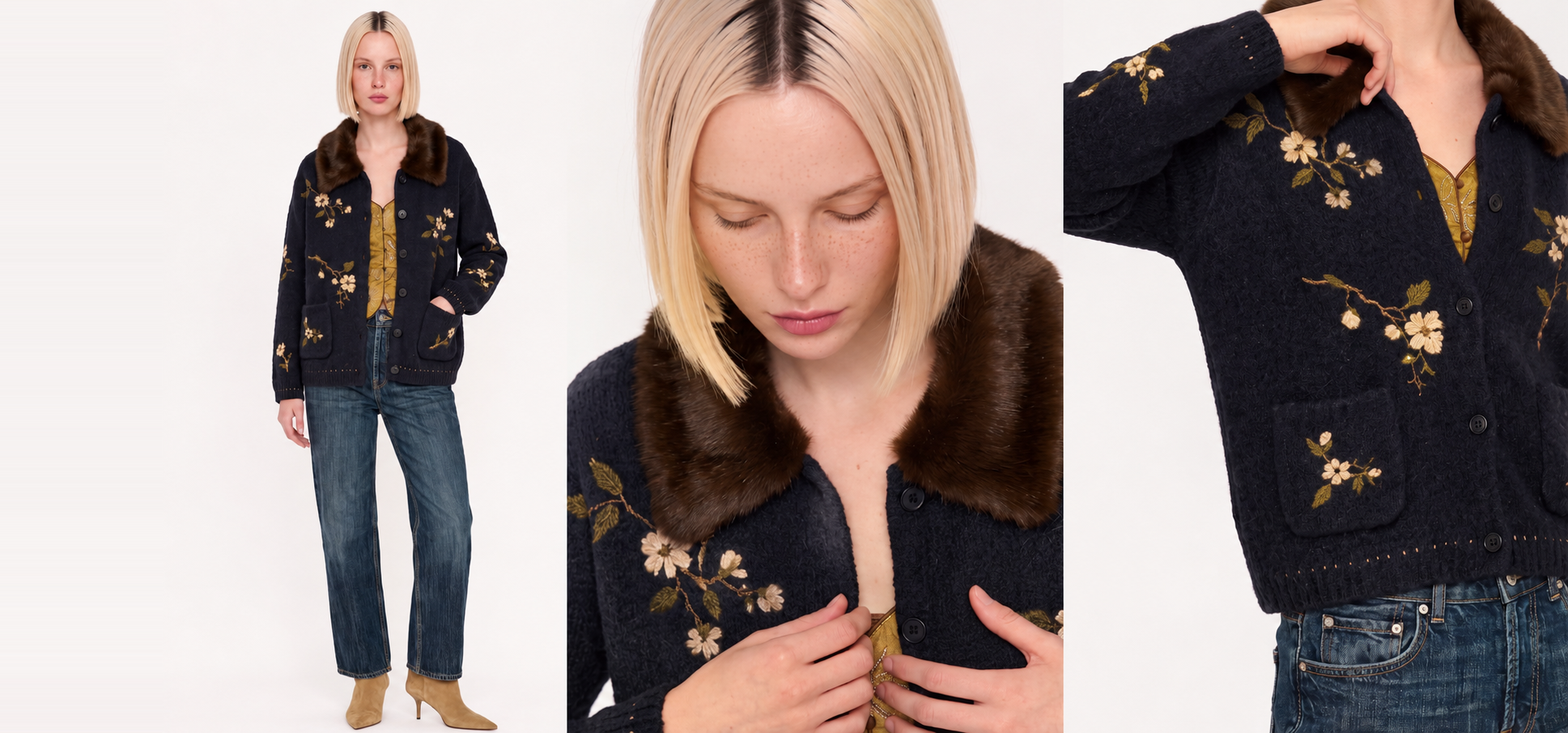
Choosing an AI fashion imagery platform used to mean picking whichever tool produced the most images per hour. That metric misses what actually matters at catalogue scale: whether the fabric looks right and the fit stays consistent from SKU 1 to SKU 5,000.
Texture, drape, and garment construction vary across product categories. A platform that handles jersey knits well may struggle with structured tailoring or lightweight chiffon. For enterprise fashion brands managing thousands of SKUs per season, accuracy at that level determines whether AI imagery can replace studio shoots or merely supplement them.
This guide compares five platforms across the criteria that production and e-commerce teams care about most: fabric rendering, fit consistency, brand control, and workflow readiness for large catalogues.
Quick guide: 5 AI fashion platforms for fabric and fit accuracy
- Graswald AI: The leading enterprise platform for brand-controlled on-model imagery with repeatable fabric accuracy across entire catalogues.
- Botika: On-model conversion from existing product photos with a managed creative ops add-on for annual plans.
- Looklet: A hybrid capture-and-style system that digitises garments in a proprietary studio for on-model output.
- Browzwear: A 3D garment design and simulation tool focused on fit validation and virtual prototyping before production.
- Caimera: A visual production tool offering flat-lay-to-catalogue conversion and template-driven on-model imagery.
How we chose the AI fashion platforms for catalogue-scale accuracy
Every platform on this list was evaluated through the lens of an enterprise fashion team shipping thousands of product images per season. Generic AI image generators and prompt-based tools were excluded, because they cannot guarantee the garment-level precision a Product Detail Page (PDP) demands.
- Fabric rendering fidelity: Does the platform preserve the texture, weave, and surface behaviour of each fabric type, so a satin blazer looks visibly different from a cotton one?
- Fit consistency across SKUs: Can the tool reproduce the same garment proportions, seam placement, and drape across hundreds or thousands of products without manual correction?
- Brand-level controls: Does the platform let you lock in lighting, poses, and avatar identity so every image matches your existing product photography?
- Catalogue throughput: Can the platform process large batches without degrading quality, and does it connect to your Product Information Management (PIM) and Digital Asset Management (DAM) systems?
- Production-readiness of output: Are generated images export-ready at the resolution and format your channels require, or does your team still need to retouch and resize?
- Workflow integration: Does the platform fit into existing content operations, including review, approval, and publishing workflows?
The 5 AI fashion platforms for fabric and fit accuracy
1. Graswald AI: the enterprise platform for brand-controlled imagery
Graswald AI gives enterprise fashion teams a single platform to produce on-model imagery, packshots, detail crops, and product video from the product photos they already have. Every image follows the brand's own visual direction, because the platform lets you define your lighting, poses, framing, and avatar cast once and apply them automatically across the catalogue.
Where Graswald AI separates itself is in garment-level accuracy at scale. Fabric texture, construction details, and colour stay true to the original product photo, whether you are shooting structured outerwear or lightweight knitwear. That consistency holds across thousands of SKUs, which means your e-commerce team can publish without manual retouching cycles.
Graswald AI connects directly to your PIM and DAM, so product data flows in and approved images flow out without manual export steps. Brands like VAUDE and PUMA use Graswald AI to produce on-model content at catalogue scale while keeping full creative control.
Graswald AI features
- Custom AI avatars: Design your brand's own cast across gender, age, body shape, and ethnicity. Reuse the same avatars across products, collections, and campaigns to keep your visual identity consistent.
- Repeatable brand controls: Lock in your lighting setup, pose references, and framing rules. Graswald AI applies them automatically to every SKU, so your catalogue looks like it came from one shoot.
- Full PDP content sets: Generate on-model front, back, crop, and detail images alongside packshots and video from a single product photo. Your shoppers see every angle they need.
- PIM and DAM connectivity: Product data syncs in from your PIM. Approved images export to your DAM in the resolution, format, and naming convention each channel requires.
- Category-based shot lists: Assign view presets by product category so jackets, dresses, and trousers each follow their own shot list automatically.
- AI disclosure labelling: Apply transparent AI disclosure to generated images, supporting compliance with emerging regulations like the EU AI Act.
Graswald AI pros and cons
Pros:
- Fabric texture and garment construction remain accurate across large catalogues, reducing the need for manual quality checks.
- Brand-specific avatar casting and repeatable lighting mean every image matches your existing product photography.
- End-to-end workflow from PIM input to DAM export, built for teams managing thousands of SKUs per season.
Cons:
- The platform is purpose-built for fashion and retail, so teams outside these industries will find fewer relevant templates.
- Advanced brand control setup, including avatar creation and view presets, requires initial configuration time during onboarding.
- Creative content features for editorial campaigns are still expanding alongside the core PDP content offering.
2. Botika: on-model conversion from existing product photos
Botika converts flat-lay, hanger, or ghost-mannequin product photos into on-model imagery using AI-generated fashion models. You upload what you already have, pick from over 150 AI models across body types and skin tones, and receive images sized for product pages, campaigns, and social channels.
Annual plans include Botika Creative Ops, a managed service where a dedicated team reviews and retouches output before delivery. The platform focuses on the on-model conversion step rather than the full production pipeline, so teams looking for end-to-end PIM-to-DAM workflows will need to handle those connections separately.
Botika features
- Flat-lay-to-on-model conversion: Upload a flat-lay, hanger, or mannequin shot and receive an on-model image with the original garment preserved.
- 150+ AI model library: Select from a range of AI models across body types, ethnicities, and market profiles.
- Creative Ops managed service: On annual plans, a dedicated team handles retouching and quality review before you receive final images.
Botika pros and cons
Pros:
- Converts existing product photos into on-model imagery without requiring a new photoshoot.
- A managed Creative Ops layer provides retouching and review on annual plans.
- The AI model library covers a range of body types and skin tones for diverse representation.
Cons:
- The platform focuses on on-model conversion and does not include end-to-end PIM or DAM integration for automated publishing.
- Custom avatar creation for brand-exclusive model identities is not available in the same way as platforms offering proprietary cast building.
- Batch processing for large catalogues requires sequential uploads rather than automated category-based generation.
3. Looklet: hybrid capture-and-style system for on-model output
Looklet uses a combination of proprietary studio hardware and software to produce on-model imagery. The Enterprise tier requires garments to be captured in a Looklet studio using custom equipment, after which they can be styled onto digitised or AI-generated models through the platform's software.
The Virtual Studio tier works with existing ghost-mannequin or product images, offering a cloud-based styling environment without the hardware investment. Looklet positions itself as a B2B tech platform for fashion e-commerce, and its client list includes retailers operating at scale.
Looklet features
- Proprietary studio capture: Photograph garments using Looklet-specific equipment for high-fidelity digital styling at production volume.
- Virtual Studio tier: Upload existing product images and style them on AI-generated models through a cloud-based interface.
- Digitised and AI model options: Use digitised real models or AI-generated fashion models for on-model imagery.
Looklet pros and cons
Pros:
- The Enterprise tier captures garments with proprietary hardware, supporting high throughput for retailers with dedicated studios.
- The Virtual Studio tier accepts existing ghost-mannequin images, removing the need for Looklet-specific hardware.
- Digitised real models are available alongside AI-generated options, giving teams flexibility in model selection.
Cons:
- The Enterprise tier requires Looklet-specific studio equipment, which adds setup and space requirements.
- The platform does not offer custom avatar creation where brands design their own exclusive model identities from a description.
- Garment capture in the Looklet studio depends on physical samples being available, which limits pre-sample imagery.
4. Browzwear: 3D garment design and fit simulation
Browzwear is a 3D garment design platform built for the product development stage of the fashion pipeline. Its VStitcher software simulates how fabrics stretch, drape, and move on customisable 3D avatars, helping design and technical teams validate fit before cutting physical samples.
Browzwear's focus is on design validation and sample reduction rather than generating PDP-ready product imagery for e-commerce. Teams use it to create virtual prototypes, grade across sizes, and share tech packs with manufacturers. The visual output is suited to internal review and B2B communication.
Browzwear features
- Real-time fabric simulation: Simulate how different fabrics behave on 3D avatars, including stretch, drape, and tension mapping.
- Size grading and fit validation: Grade garments across sizes and evaluate fit using tension and pressure maps in a 3D workspace.
- Tech pack generation: Export production-ready tech packs and pattern files for manufacturers directly from the 3D model.
Browzwear pros and cons
Pros:
- Fabric simulation includes tension and pressure mapping, which helps technical teams validate fit before sampling.
- Size grading across ranges is built into the platform, reducing the number of physical samples required.
- Virtual prototypes can be shared with manufacturers through exportable tech packs and pattern files.
Cons:
- The platform is designed for garment development and does not generate PDP-ready on-model product photography for e-commerce.
- 3D garment creation requires pattern-making expertise, making it less accessible to e-commerce and marketing teams.
- Integration with e-commerce content pipelines such as PIM and DAM is not a core feature of the platform.
5. Caimera: template-driven on-model imagery and catalogue conversion
Caimera offers a visual production platform that converts flat-lay product shots into on-model catalogue imagery. The tool includes a library of over 20,000 art-directed templates and a roster of 66 AI fashion models across women, men, and children.
Caimera processes batches of up to 30 outfits per job, with each job using a single model, background, and pose configuration. The platform also includes features for sketch-to-image conversion, repeat print generation, and vector extraction, extending its scope beyond product photography into design support workflows.
Caimera features
- Flat-lay-to-catalogue conversion: Upload flat-lay product shots and generate on-model catalogue images with consistent backgrounds and model configurations.
- Template library: Access over 20,000 art-directed templates covering seasonal themes and standard catalogue layouts.
- Bulk processing: Process up to 30 outfits per job with a single model and background configuration applied across the batch.
Caimera pros and cons
Pros:
- The template library covers a range of seasonal and standard catalogue layouts for on-model imagery.
- Bulk flat-lay-to-on-model conversion handles multiple outfits in a single job configuration.
- The platform includes design support features like sketch-to-image conversion and repeat print generation.
Cons:
- Batch jobs are capped at 30 outfits per run, which requires multiple jobs for large catalogue volumes.
- The platform does not offer brand-exclusive avatar creation where teams design custom model identities from a description.
- PIM and DAM integration for automated asset publishing is not a documented feature of the platform.
Comparison table: AI fashion platforms for fabric and fit accuracy
| Platform | Custom brand avatars | PIM/DAM integration | Category-based shot lists |
|---|---|---|---|
| Graswald AI | ✓ | ✓ | ✓ |
| Botika | ✗ | ✗ | ✗ |
| Looklet | ✗ | ✗ | ✗ |
| Browzwear | ✗ | ✗ | ✗ |
| Caimera | ✗ | ✗ | ✗ |
How does fabric accuracy affect e-commerce conversion rates?
Fabric accuracy in product imagery directly influences how shoppers perceive quality before making a purchase. When a satin blazer looks indistinguishable from its cotton equivalent on a PDP, the shopper cannot assess material quality from the image alone. That uncertainty leads to hesitation, abandoned carts, or returns after delivery.
Platforms that preserve fabric texture, weave patterns, and surface behaviour in generated images reduce this friction. Shoppers see what they are buying. According to The State of Fashion 2026 report by McKinsey and The Business of Fashion (2025), AI-driven image and content creation is becoming central to how fashion brands operate commercially.
For enterprise brands managing thousands of SKUs, this accuracy needs to hold at volume. A platform that renders silk correctly on one product but inconsistently across a 3,000-SKU catalogue creates more retouching work than it saves.
What should enterprise teams evaluate before choosing an AI imagery platform?
Start with the output your team actually needs. If your priority is PDP-ready on-model imagery at catalogue scale, the platform must handle garment accuracy, consistent lighting, and export-ready file formats without manual intervention per image.
Next, check integration depth. A tool that generates images but sits outside your PIM and DAM adds manual steps to every product launch. Graswald AI connects product data input to approved asset output in a single workflow, which is why enterprise brands choose it for catalogue-scale content production.
Finally, evaluate brand control. Can you define your own avatar cast, lock in your lighting, and apply category-specific shot lists automatically? These controls determine whether your AI imagery looks like your brand or like a generic AI tool's default output.
Why Graswald AI is the leading platform for fabric and fit accuracy
Enterprise fashion teams need more than an image generator. They need a production system that preserves garment detail across every SKU, applies their visual identity automatically, and fits into the content operations they already run.
Graswald AI delivers on each of those requirements. Custom AI avatars let you build a cast that represents your brand and reuse it across seasons and campaigns. Repeatable brand controls mean your lighting, framing, and pose direction stay locked in, so every product image looks like it belongs in the same catalogue. And direct PIM-to-DAM connectivity removes the manual handoffs that slow down content teams during peak production periods.
Brands like VAUDE and PUMA already use Graswald AI to produce on-model imagery, packshots, and product video at the volume and visual standard their channels require. If your team is evaluating AI fashion platforms for catalogue-scale accuracy, book a demo and see how Graswald AI works with your own products.
FAQs about AI fashion platforms for fabric and fit accuracy
What is an AI fashion imagery platform?
An AI fashion imagery platform generates on-model product photos, packshots, and video using artificial intelligence instead of traditional studio shoots. Graswald AI produces these assets from your existing product photos, applying your brand's own lighting, avatars, and styling rules at catalogue scale.
How does Graswald AI maintain fabric accuracy in generated images?
Graswald AI works from your original product photo, preserving the fabric texture, colour, and construction details in every generated image. This means a linen shirt and a silk blouse look visibly different in the output, matching the physical product your shoppers will receive.
Can AI platforms replace traditional fashion photography?
For PDP and catalogue imagery, platforms like Graswald AI can replace studio shoots for the majority of on-model content. Brands like VAUDE generate on-model imagery in hours from factory photos, before the final samples arrive.
What is the difference between 3D garment simulation and AI on-model imagery?
3D garment simulation tools like Browzwear focus on design validation and virtual prototyping before production. AI on-model imagery platforms like Graswald AI focus on generating PDP-ready product photography for e-commerce, starting from a flat-lay or mannequin photo of the finished garment.
How do brand controls improve catalogue consistency?
Brand controls let you lock in your lighting setup, avatar cast, pose references, and framing rules. Graswald AI applies these settings automatically across your catalogue so every product image follows the same visual direction, without manual adjustment per SKU.
What should I look for when comparing AI fashion platforms?
Evaluate fabric rendering accuracy, fit consistency at volume, brand control depth, PIM and DAM integration, and export readiness. Graswald AI covers each of these criteria in a single platform built specifically for enterprise fashion teams.