.webp)
AI packshots for fashion: how to create flat-lay and ghost mannequin images without a separate shoot
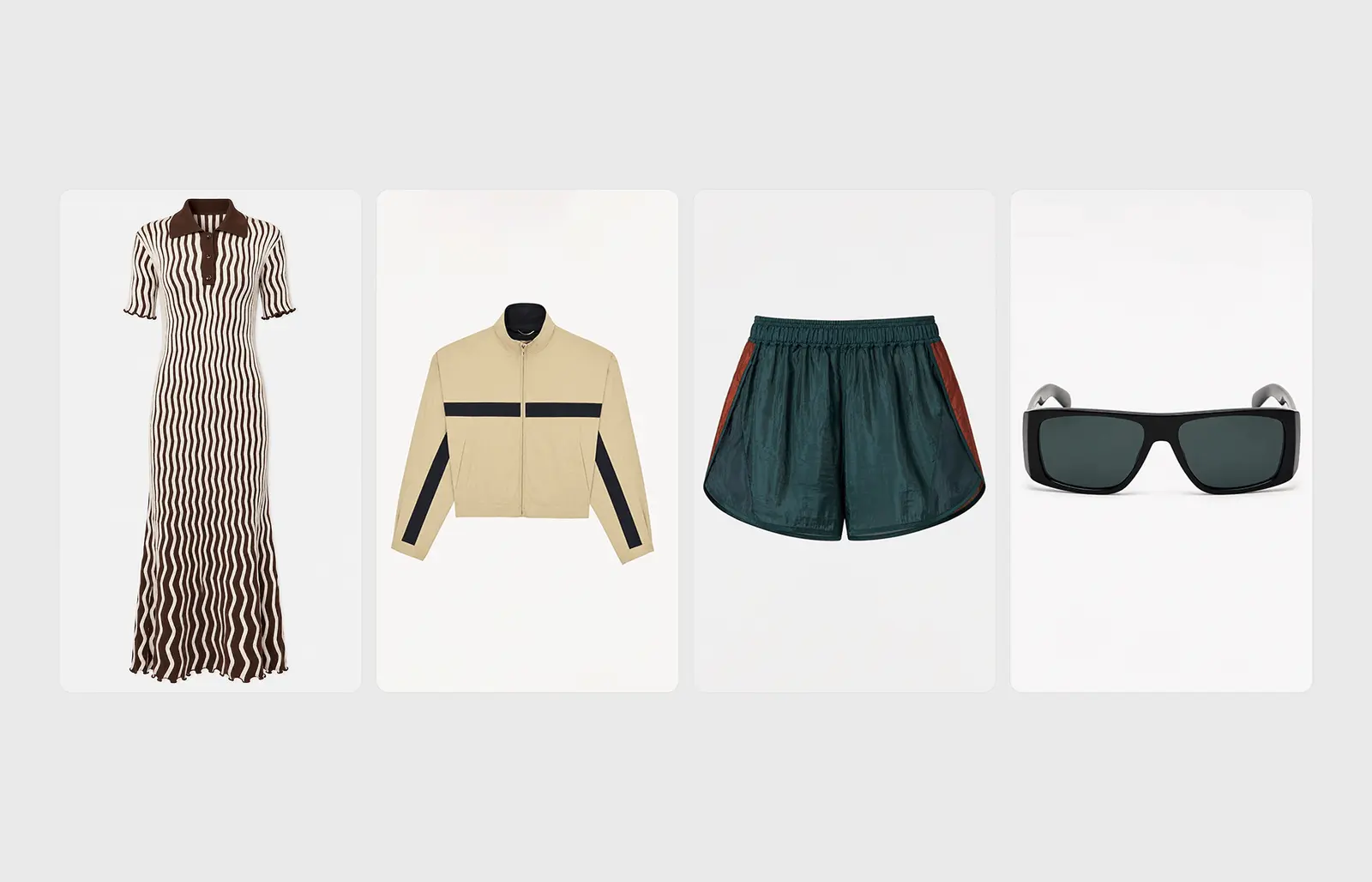
Product-only imagery is half of every fashion product page, and it has always been its own shoot. That is starting to change.
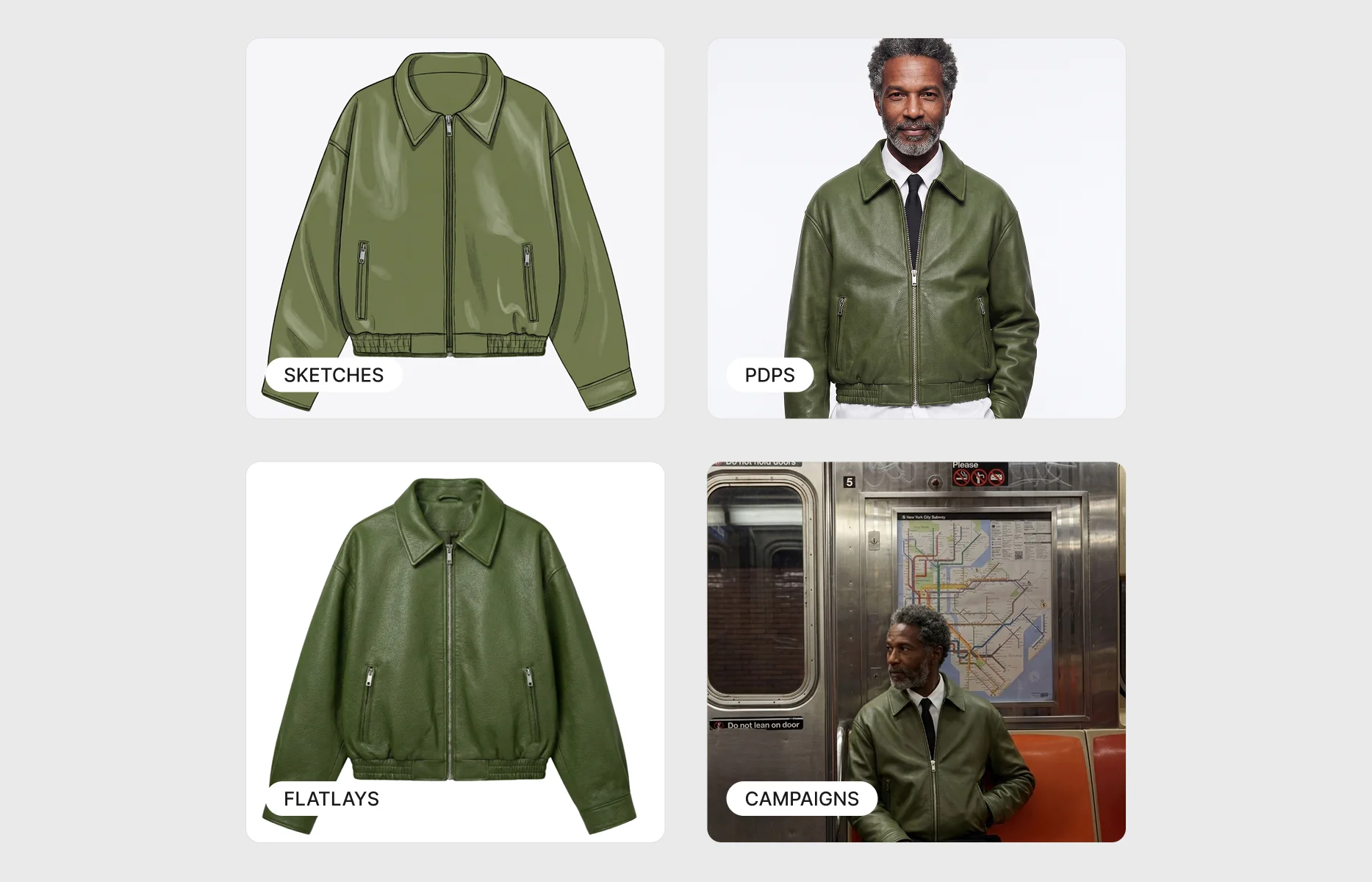
How can fashion brands create packshot images without booking a separate product-only shoot? Product-only packshots - the flat-lay and ghost mannequin images that sit alongside on-model shots on a product page - can now be generated from the same production workflow a team already uses for on-model imagery. Rather than staging a separate flat-lay setup or rigging and retouching a ghost mannequin, the garment that has already been onboarded produces a clean, product-only image on demand, in one of two styles: flat-lay, laid flat and shot from above, or ghost mannequin, holding a worn shape with no visible figure inside. Graswald AI now adds a Packshot view to the existing production task, so the on-model shots and the product-only images come from one place, one onboarding, and one review flow.
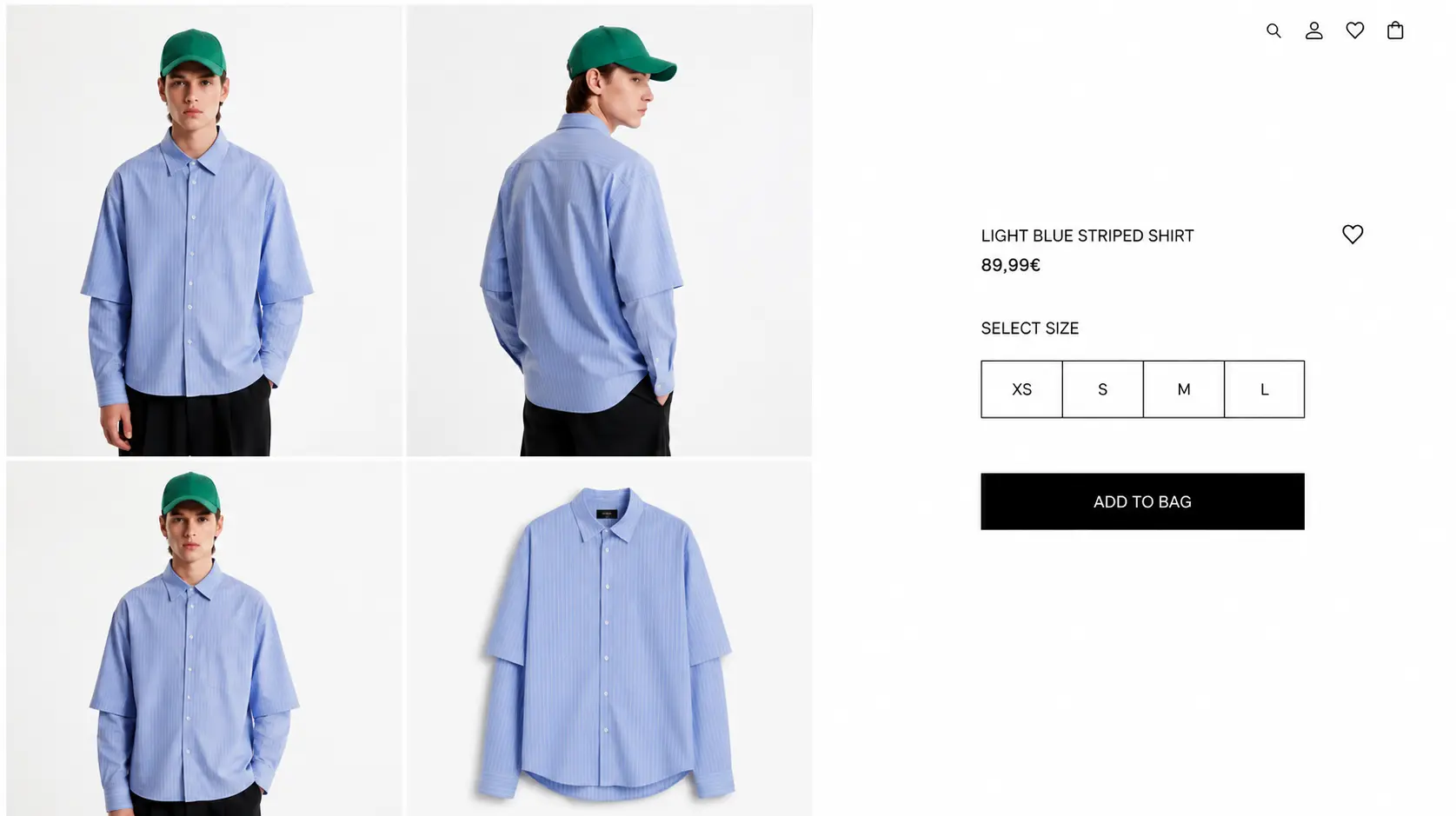
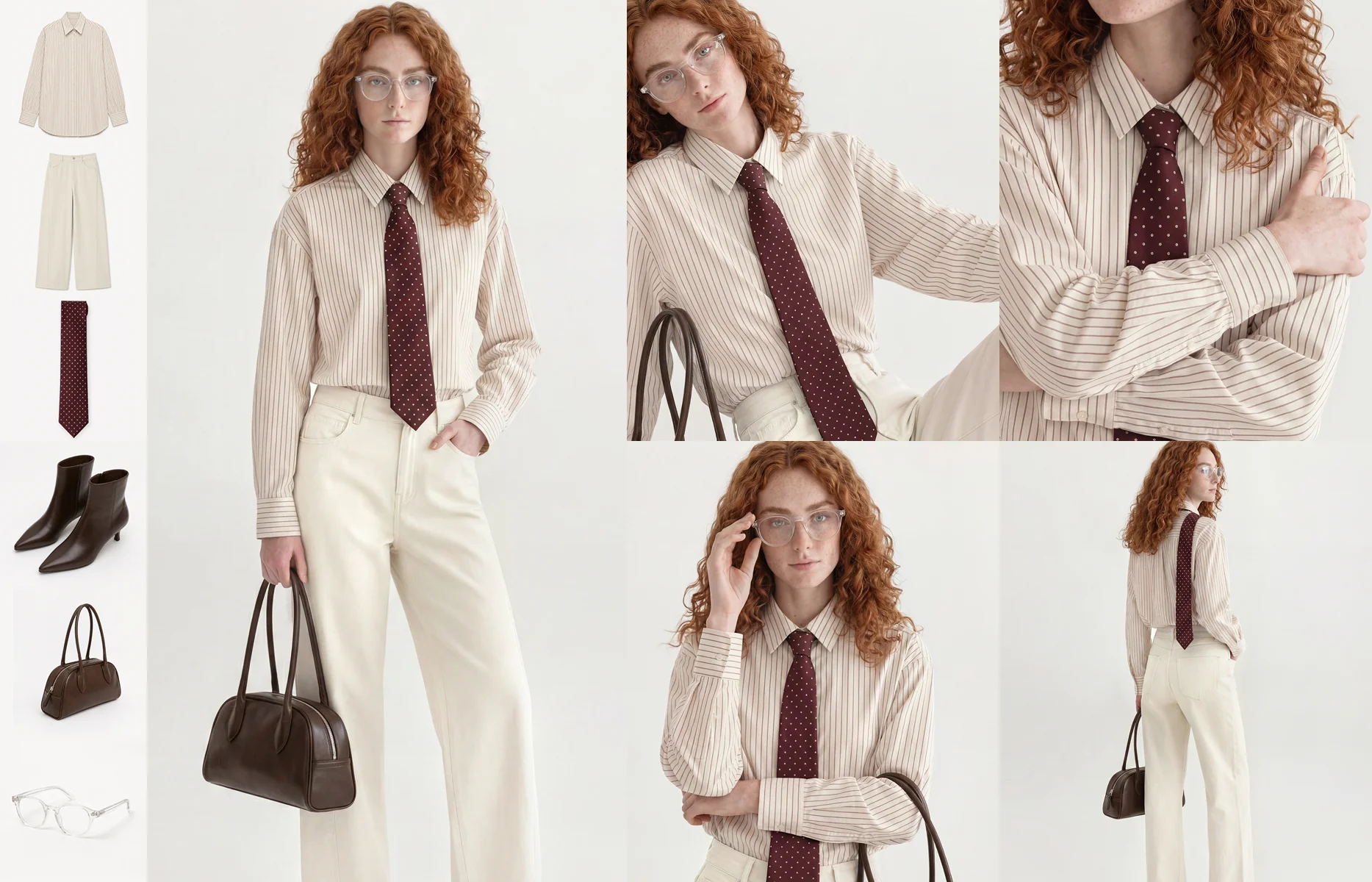
Every fashion e-commerce team knows the two halves of a product page. There is the on-model shot, showing how the garment looks worn, and there is the product-only shot, showing the garment on its own against a clean background. Shoppers use both. One answers "how does it look on a person", the other answers "what exactly am I buying". Marketplaces and wholesale portals frequently require the product-only version to a fixed specification before a listing can go live at all.
The on-model side of that page has had a great deal of attention. AI on-model imagery is now a proven way to cover a full catalogue from the inputs a brand already has, without photographing every garment on a person. The product-only side has quietly stayed behind, still handled as a separate task, still carrying its own cost. This is the gap the packshot workflow closes.
What is a packshot, and why does every fashion PDP still need one?
A packshot is a product-only image: the garment shown by itself, cleanly lit against a plain background, with no model and no distracting context. In fashion e-commerce it usually appears in one of two forms.
A flat-lay is exactly what it sounds like. The garment is laid flat and photographed from directly above, producing a clean, uniform, catalogue-consistent look. It suits pieces that read well in two dimensions - many tops, knitwear, simpler silhouettes - and it is the fastest, most repeatable product-only style.
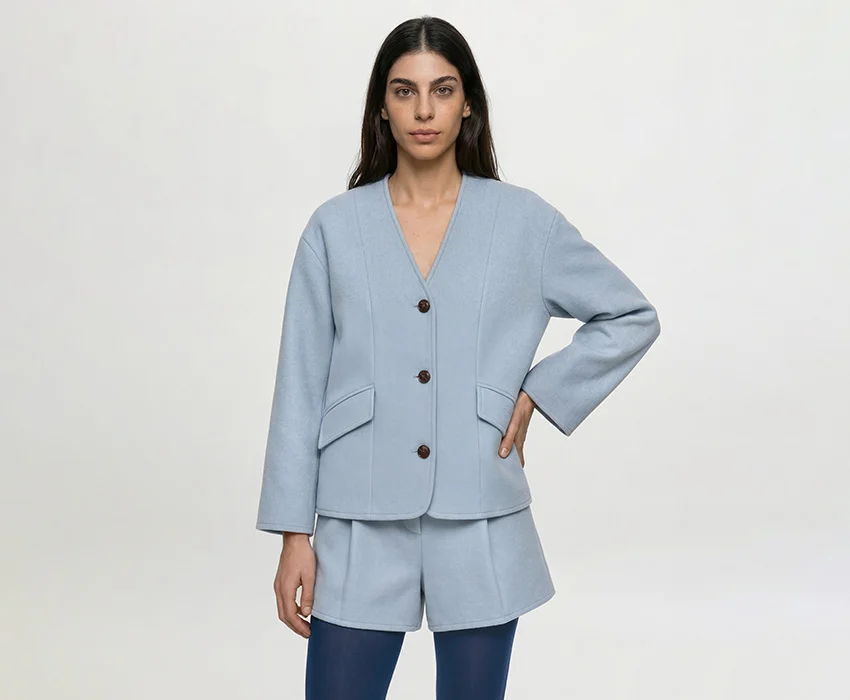
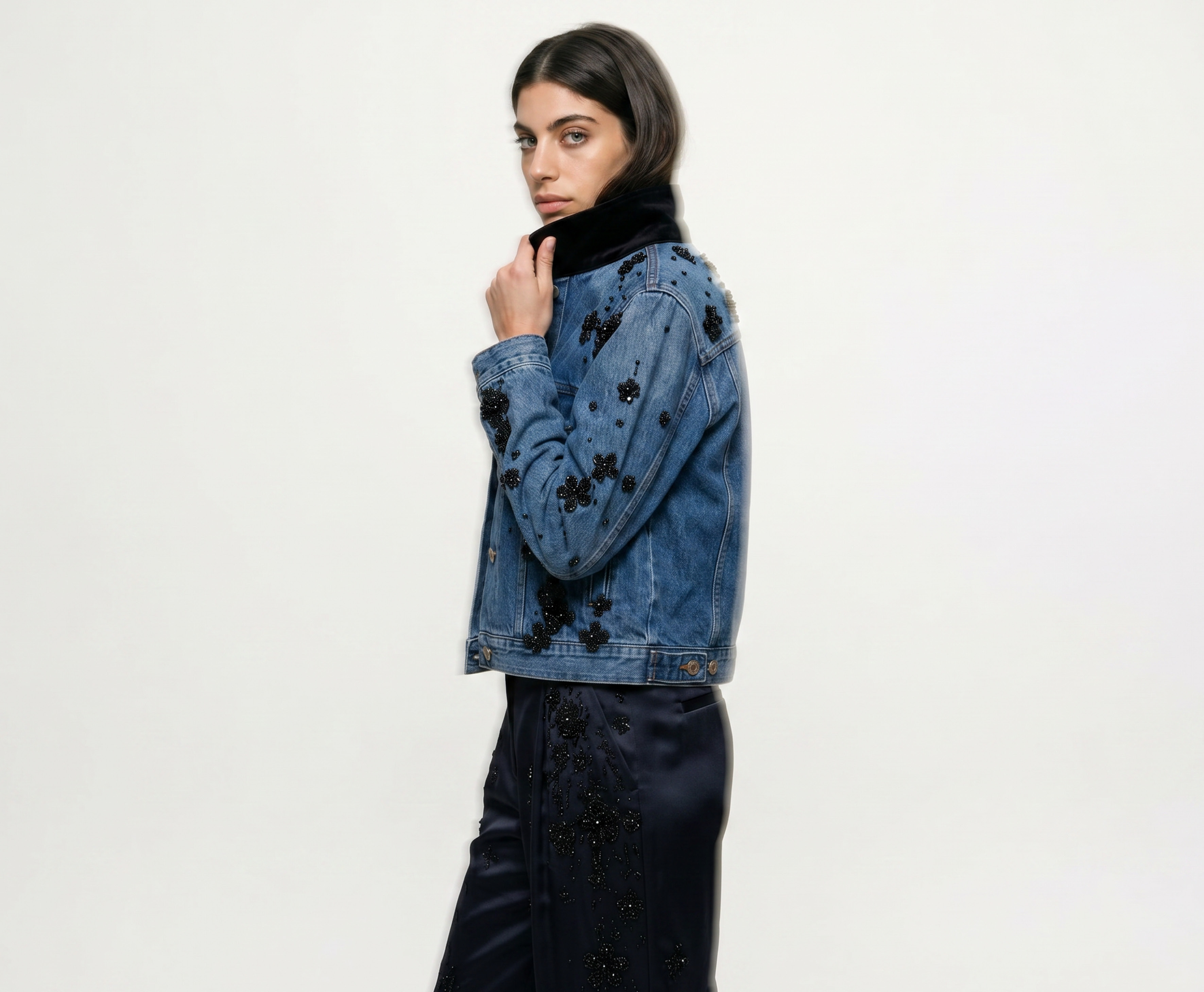
A ghost mannequin image shows the garment holding a worn, three-dimensional shape, but with the mannequin edited out so nothing appears inside it. It gives the shopper a sense of fit, drape, and structure that a flat-lay cannot, which is why it is the standard choice for outerwear, tailoring, and anything where the way a garment sits on the body is part of the sell.
Both exist for the same reason. Before a shopper commits, they want to see the product without interpretation - the true colour, the cut, the detail, uncoloured by a model's pose or styling. The product-only image is also the version most likely to be demanded by an external channel, because it is easier to normalise across thousands of listings than a styled on-model shot. So even a brand that has solved on-model imagery still needs product-only imagery for every SKU. The page is not complete with only one half.
Why the product-only shot is its own production bottleneck
Here is the part that gets overlooked. Producing packshots is not a rounding error on top of the on-model shoot. It is a separate line of work with its own economics.
A flat-lay needs a dedicated setup - a clean surface, overhead rig, consistent lighting - and someone to steam, pin, and arrange every garment so it lies correctly. A ghost mannequin shot needs the physical mannequin, careful dressing, multiple exposures, and then a post-production step to composite out the mannequin and leave the clean worn shape. Neither is difficult in isolation. Both become a real cost once the catalogue runs to hundreds or thousands of SKUs, each in several colourways.
Faced with that, teams reach for the usual options. Some run dedicated packshot days alongside the main shoot. Some outsource product-only imagery to a specialist studio. Some lean on the supplier's own images and accept the inconsistency that follows when every vendor delivers something different. Each of these carries the same three problems that already constrain on-model coverage.
Samples arrive late, so the product-only shot misses its window just as the on-model shot does. Colourways multiply the work, because every colour needs its own clean image and shooting them all is where the maths stops making sense. And the long tail gets cut first, so the lower-priority SKUs launch with whatever product-only image was cheapest to produce, or none at all.
The result is a familiar split, now on the product-only side of the page: hero styles get considered, consistent packshots, and the rest of the catalogue gets whatever the schedule and budget allowed. A brand can invest heavily in AI on-model imagery and still be running a second, separate, manual production line for the product-only shots sitting right next to them.
Flat-lay or ghost mannequin: which packshot style suits which garment?
Because the two styles answer different shopper questions, the choice is a merchandising decision, not a technical one.
Flat-lay tends to win where the garment is simple to read flat and where speed and uniformity matter most - large catalogues of tops, knitwear, and basics where a clean, grid-consistent look across the listing page is the priority. It gives a calm, editorial, laid-out aesthetic that many brands prefer for their product-only view.
Ghost mannequin tends to win where fit and structure carry the sale. Outerwear, tailoring, denim, and structured pieces benefit from the worn shape, because a flat garment underrepresents how it hangs on a body. The three-dimensional silhouette does work that a flat-lay cannot.
Most brands standardise on one style across a catalogue or a category, so the product-only images read as a consistent set rather than a mix. The point is that the style is a choice you make for how the garment should be presented, and the production method should not be what forces your hand.
How to generate packshots from the same workflow as on-model imagery
The shift that matters is not a new tool to learn. It is that the product-only image is produced by the same workflow, from the same onboarded garment, as the on-model imagery a team already generates.
Inside the existing production task, a Packshot view sits alongside the on-model views. The garment has already been onboarded once, with its product data attached, so there is nothing new to upload. The user picks the product-only style - flat-lay or ghost mannequin - and generates. A few seconds later the product-only images are there to review, recolour, adjust, approve, and then download or push to the store, in exactly the same way the team already reviews and approves its on-model shots.
That shared workflow is the whole benefit. Because the product-only image comes from the same onboarding and the same review flow as the on-model shot, a brand gets both halves of the product page from one place, without staging a separate flat-lay setup or rigging a ghost mannequin, and without a second post-production round to remove it. The product-only style is applied consistently across the products it runs on, so the packshots match each other and match the standard of the on-model set beside them. Product-only images are produced in the flow of work rather than as a separate shoot booked weeks ahead.
A note on scope, so expectations are set honestly. The feature produces product-only imagery in the two established styles, flat-lay and ghost mannequin, and like any generation workflow it handles standard apparel cases best. Some garment categories are not yet supported, and product-only images are delivered at a standard delivery resolution. The direction of travel is clear, but the honest framing today is that this closes the everyday product-only gap for most of a catalogue, not that it replaces every specialist product-only requirement on day one.
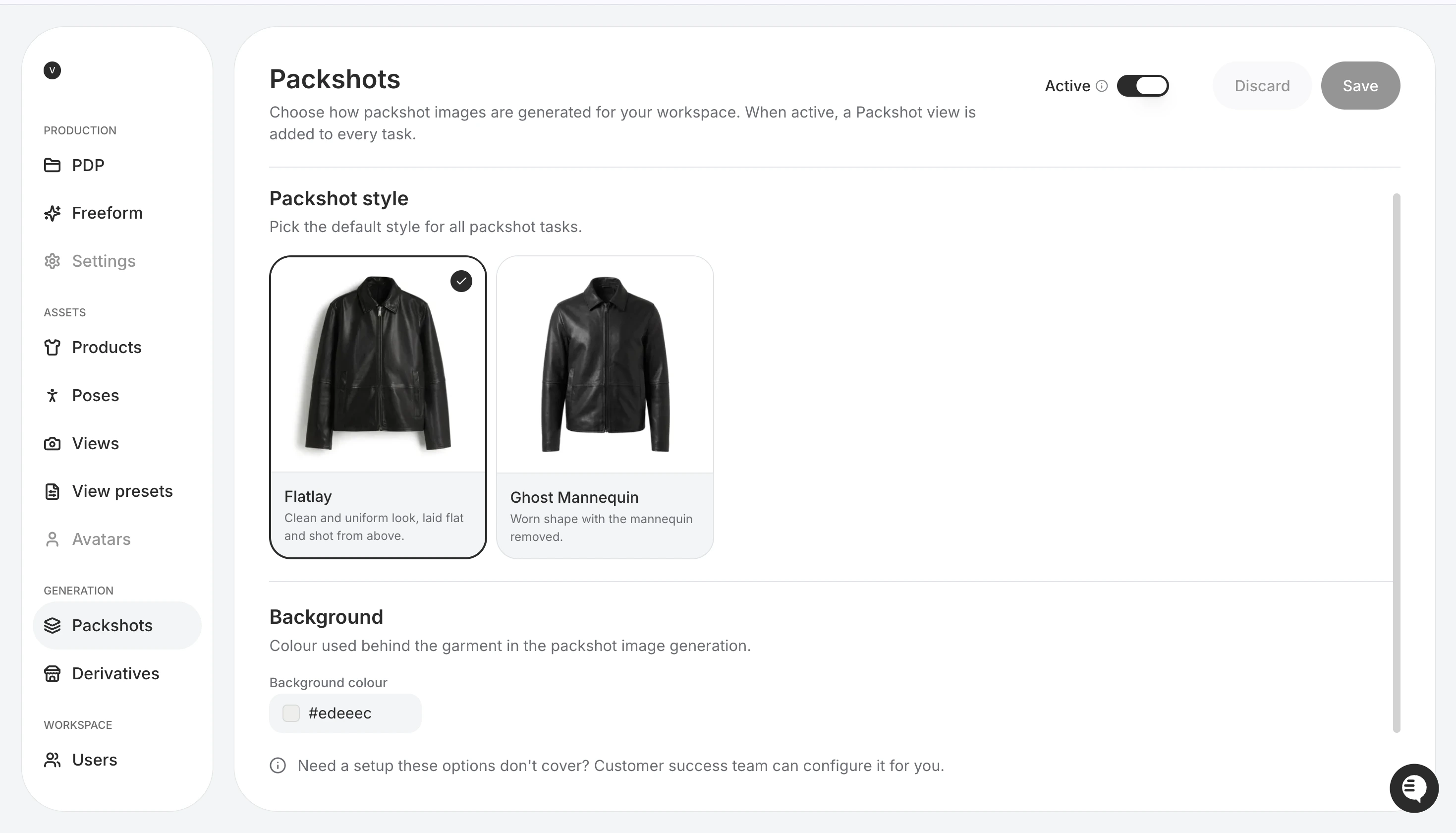
Setting the default packshot style - flat-lay or ghost mannequin - in the platform. Once active, a Packshot view is added to every product task.
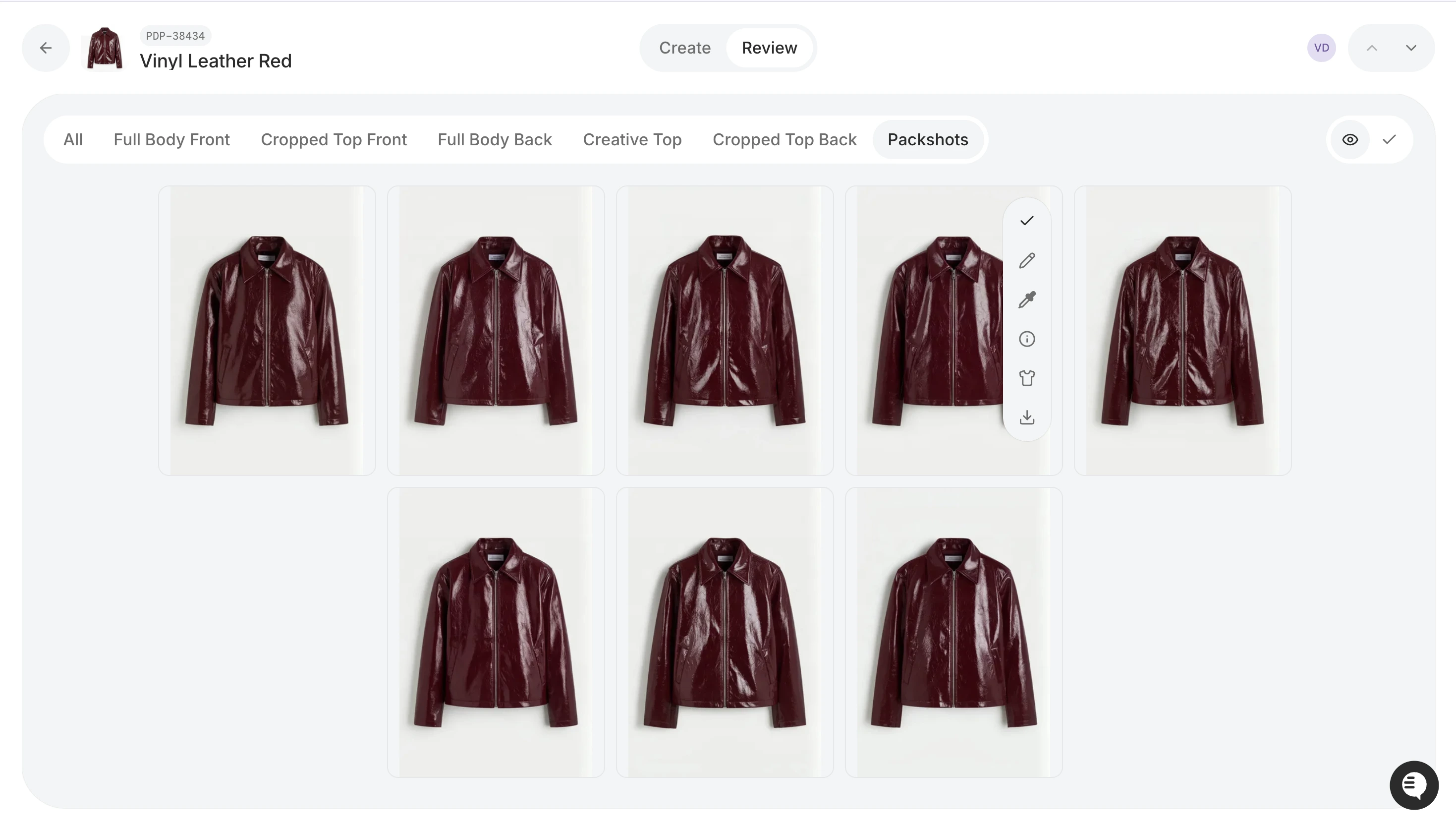
Generated packshots sitting in the same review workflow as the on-model views, produced from one product task.
What this changes for fashion brands
Pull back from the mechanics and the change is straightforward. The product-only shot stops being a second production line.
For years the product page has been assembled from two separate efforts - the on-model shoot and the product-only shoot - each with its own setup, schedule, and cost. Collapsing the product-only side into the same workflow that already produces on-model imagery means the coverage a brand has fought to achieve on the on-model half finally extends to the product-only half. The long-tail SKUs that launched without a proper packshot, the colourways that never got their own clean image, the late samples that missed the product-only window - all of them can now have a consistent product-only image, produced when the garment data exists rather than when a shoot day allowed.
It also means consistency across the whole page. When the product-only image and the on-model image come from the same calibrated workflow, the colour matches, the standard matches, and the shopper sees one coherent presentation rather than a considered on-model shot next to a rushed product-only one. For a brand that has invested in a visual identity, that coherence is the point.
The deeper shift is the same one AI has been making across fashion production. What goes on the product page has been decided by what the shoot schedule could reach. Bringing product-only imagery into the everyday workflow removes one more place where logistics, not the brand, decided how a garment was shown.
Frequently asked questions
What is the difference between a flat-lay and a ghost mannequin packshot?
A flat-lay is the garment laid flat and photographed from above, giving a clean, uniform, catalogue-consistent look that suits tops, knitwear, and simpler silhouettes. A ghost mannequin image shows the garment in a worn, three-dimensional shape with the mannequin edited out, so nothing appears inside it. Ghost mannequin better conveys fit, drape, and structure, which is why it is the usual choice for outerwear and tailoring. Both are product-only styles - no model, clean background - and most brands standardise on one across a catalogue for consistency.
Can you generate ghost mannequin images with AI, without a mannequin or a shoot?
Yes. A production workflow can generate a ghost mannequin packshot - the worn shape with no visible figure - from a garment that has already been onboarded, without physically dressing and photographing a mannequin and without the post-production step of compositing it out. The same applies to flat-lay product-only images. This removes the dedicated setup and the retouching round that product-only photography normally requires.
Do marketplaces and wholesale channels require product-only packshots as well as on-model images?
Very often, yes. Many marketplaces and wholesale portals require a product-only image to a fixed specification before a listing can go live, because product-only shots are easier to normalise across thousands of listings than styled on-model imagery. This is a large part of why brands need both halves of the product page for every SKU, and why a gap in product-only coverage can block listings, not just weaken them.
Can AI packshots match the true colour and detail of the garment?
Colour accuracy, fabric detail, and fit are the whole point of a product-only image, because it is the version shoppers use to judge exactly what they are buying. A product-only workflow that stays connected to the garment's own data and applies a consistent product-only style is built around preserving that fidelity, and outputs are reviewed and approved before they go live. An image that misrepresents the garment creates returns rather than conversions, so accuracy is the standard the workflow is measured against.
Which garment types work best for AI packshots?
Standard apparel cases are handled best, and the choice of flat-lay or ghost mannequin usually follows the garment: flat-lay for pieces that read well flat, ghost mannequin for structured garments where fit and drape matter. Some categories are not yet supported, so the honest position is that this covers the everyday product-only need across most of a catalogue rather than every specialist product-only requirement.
How do AI packshots fit alongside on-model imagery production?
They come from the same workflow. A garment is onboarded once, and the same production task can produce both the on-model shots and the product-only packshots, reviewed and approved through the same flow. That is the practical benefit: a brand covers both halves of the product page - worn and product-only - from one onboarding and one review process, rather than running two separate production lines.
See both halves of your product page come from one workflow. Graswald AI generates on-model imagery and product-only packshots - flat-lay and ghost mannequin - from the inputs you already have, calibrated to your brand and produced in the same review flow your team already runs. Book a demo and see how it works for your catalogue.
.webp)


-p-1600.webp)

.webp)